Book your demo
ScriptRunner Connect logo consisting of a pink circle with a white letter C inside

ScriptRunner Connect: Remote workspace

Build and manage integrations from your own development environment.
An image of a website receiving assistance from robotic arms to represent working remotely with AI tooling.

Your environment, your rules

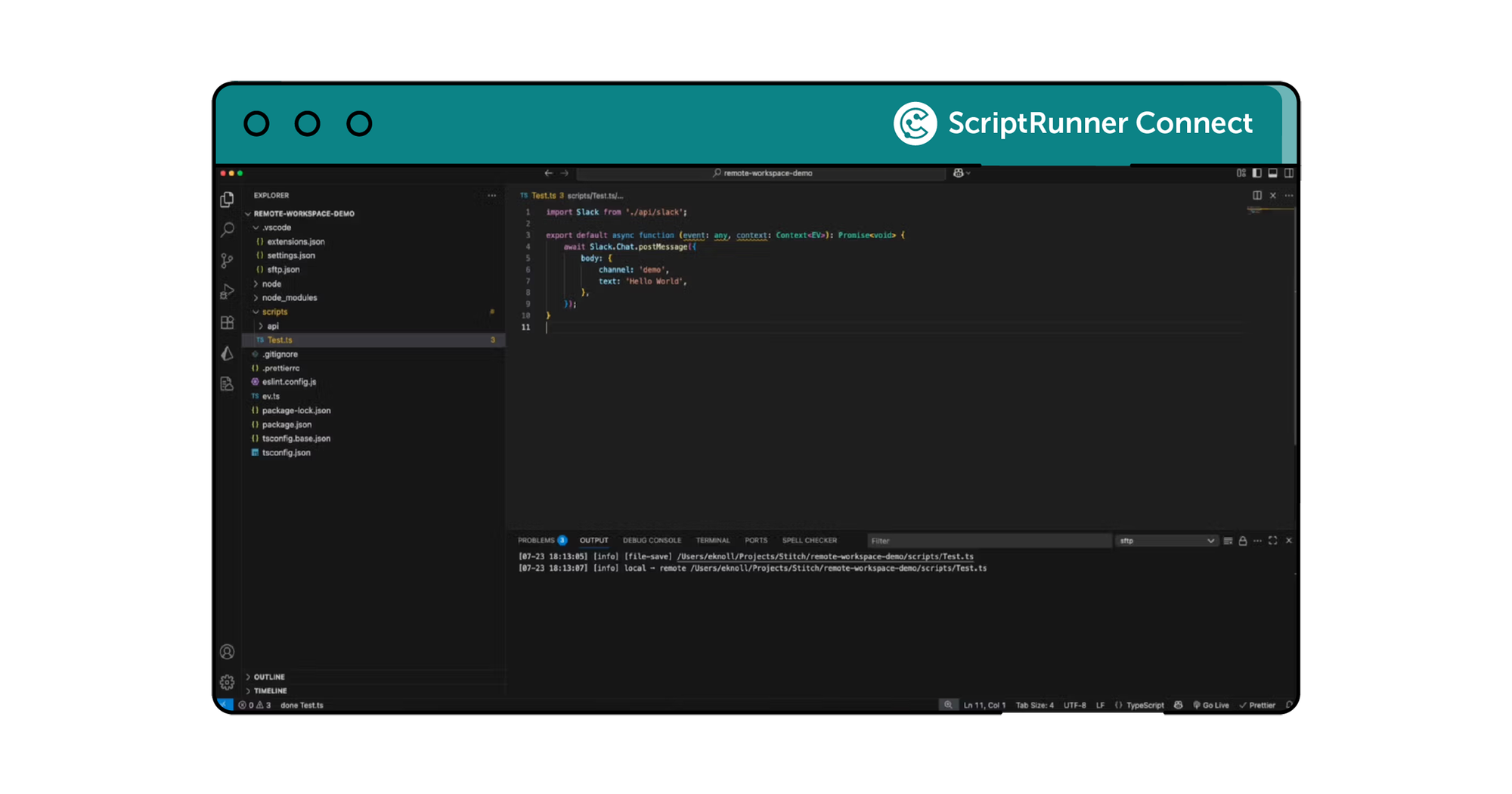
Remote workspace lets you access, edit, and manage integration scripts directly from your own development environment. Activate it to download scripts locally, work in your preferred IDE (like VS Code), use your own AI coding assistants, and push changes back to the platform for immediate processing. It works just like editing in our web UI - only with the comfort, control, and familiarity of your own setup. It’s like being able to change the oil in your car engine from the comfort of your armchair (slippers optional).
A screenshot of the VS code app - how a use an IDE (Integrated Development Environment) to build and manage scripts remotely.

Unleash the vibe coder in you!

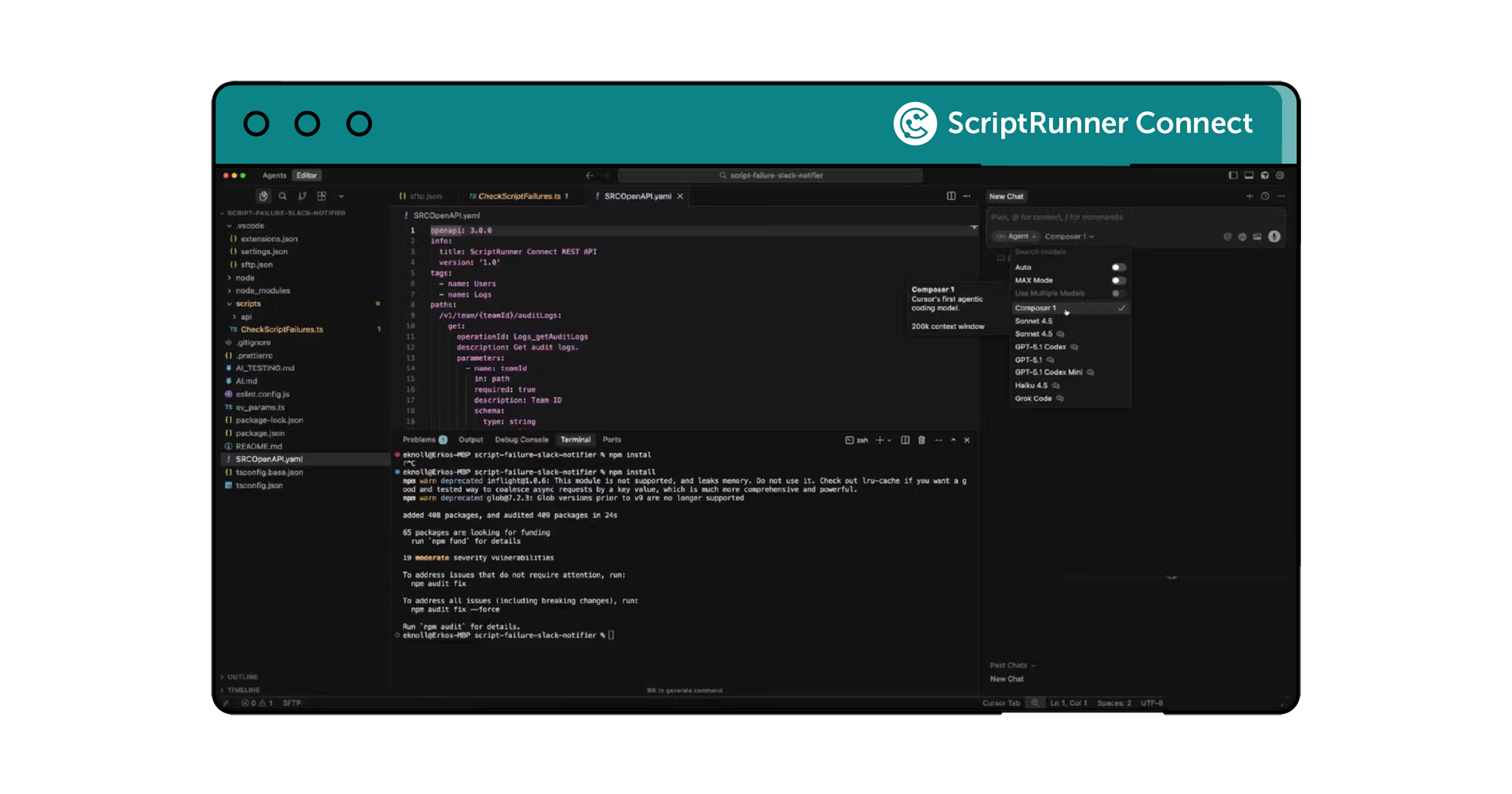
Remote workspace opens the door to using powerful AI development tools that go far beyond our built-in AI assistant. Plug in your favourite LLM-driven coding agents, IDE copilots, or CLI-based helpers to generate and refactor scripts, auto-document your code, and build reusable templates or workflows in a fraction of the time. It’s a faster, smarter way to create integrations - powered by the tools that you love.

A screenshot of VS Code and the AI tooling that is available to support vibe coding to build integration scripts.

How to get started

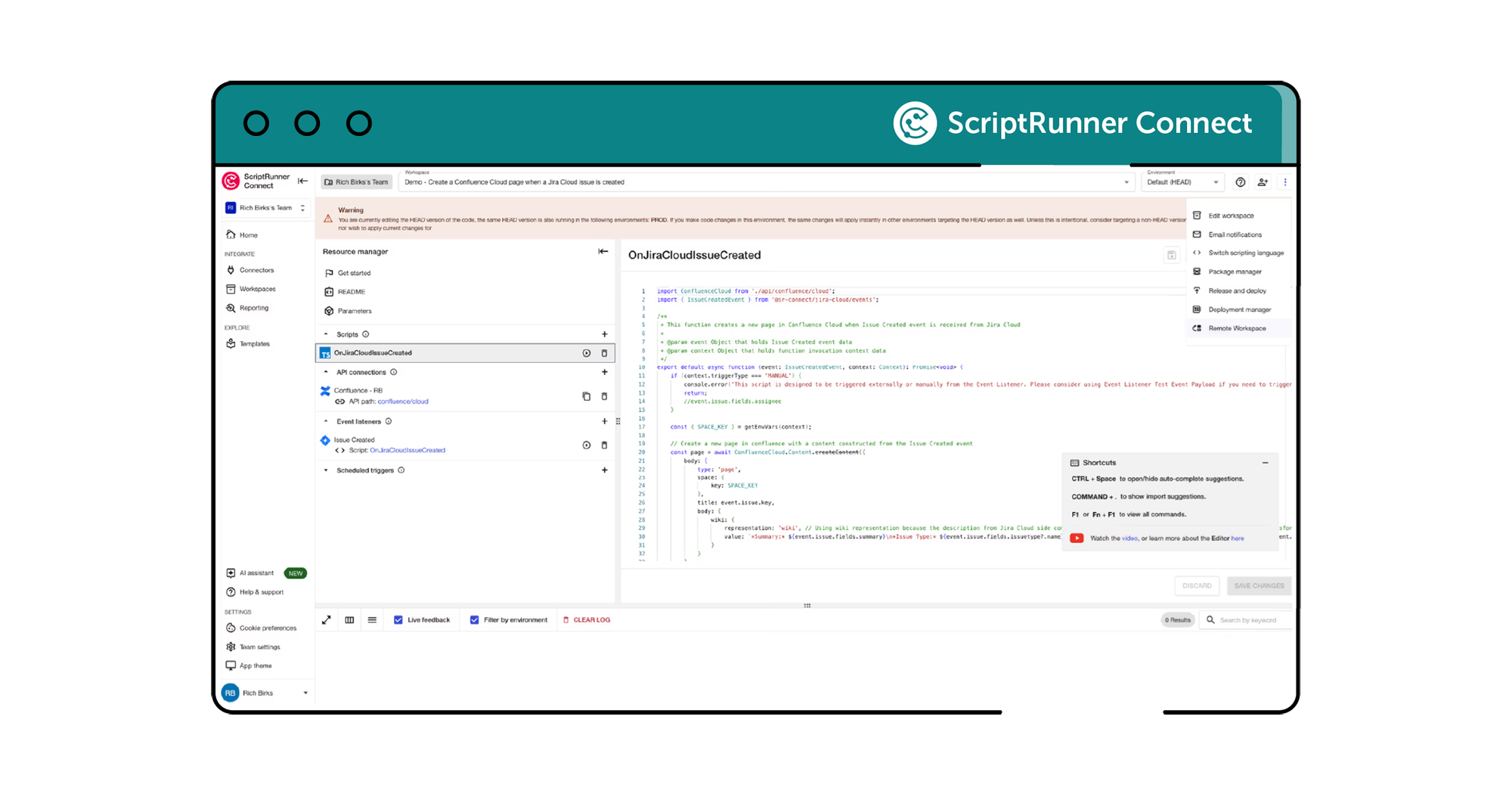
Remote workspace leverages SFTP - a proven, secure standard supported by nearly every IDE and FTP client. While we offer a recommended setup using VS Code with the SFTP extension for the best experience, you can use similar tools or external FTP clients to access your files. To get started, select ‘more options’ within a workspace and click on ‘remote workspace’. From there, download files from our SFTP server, edit them locally using your own tools and upload them back when you’re done and our platform processes them instantly.
A screenshot of ScriptRunner Connect and how a user can navigate to the remote workspace feature to get started.

Meet your Customer Success Team

Get a custom, private demo from one of our integration experts so you can chat freely about your specific challenges!

More where that came from

ScriptRunner Connect is filled with rich features to help teams like yours build your best-ever integrations.
A lamp in front of a computer screen to illustrate a workspace

Workspaces

Use workspaces for building, managing, and collaborating on your integrations.
Learn more
A book on a web page to illustrate a template

Templates

Kickstart integrations with pre-built templates for common automation, synchronisation, and migration use cases.
Learn more
A cog in front of a cloud to illustrate a managed API

Managed API

Making coding easier for an awesome developer experience.
Learn more
Two parts of a plug about to connect in front of a cog to illustrate a connector

Connectors

Manage integrations with pre-built Connectors and a Generic Connector for secure and automated authentication.
Learn more
A clock within a calendar to illustrate a custom trigger

Custom triggers

Choose from event-based triggers, manually triggering an integration script or time-based scheduled triggers.
Learn more
A group of three people

Teams

Collaborate in shared workspaces to align on integrations for a faster time-to-value.
Learn more
A teal shield icon with a cloud inside it

Private cloud hosting

Run ScriptRunner Connect in your isolated AWS environment for maximum security.
Learn more
A group of three multi-coloured stars

US data residency

AWS-powered infrastructure for enterprise-grade security, reliability and performance.
Learn more
A green shield with a red cog in the middle to illustrate security

Security

Rely on the expertise and security-first credentials of the teams behind ScriptRunner.
Learn more

Sound like what you need?