Home page
ScriptRunner Connect logo consisting of a pink circle with a white letter C inside

ScriptRunner Connect: Egress Firewall

Control which external services your integrations can connect to.
Person smiling while working on a laptop, wearing a light pink blazer and smartwatch, with colourful chat bubbles and circular graphics around them.

Take control of outbound access

Egress Firewall gives your team control over which external services your integrations can access. Every outbound connection must be approved before it can be used, helping you enforce secure-by-default access policies and keep integrations connected only to services you trust.
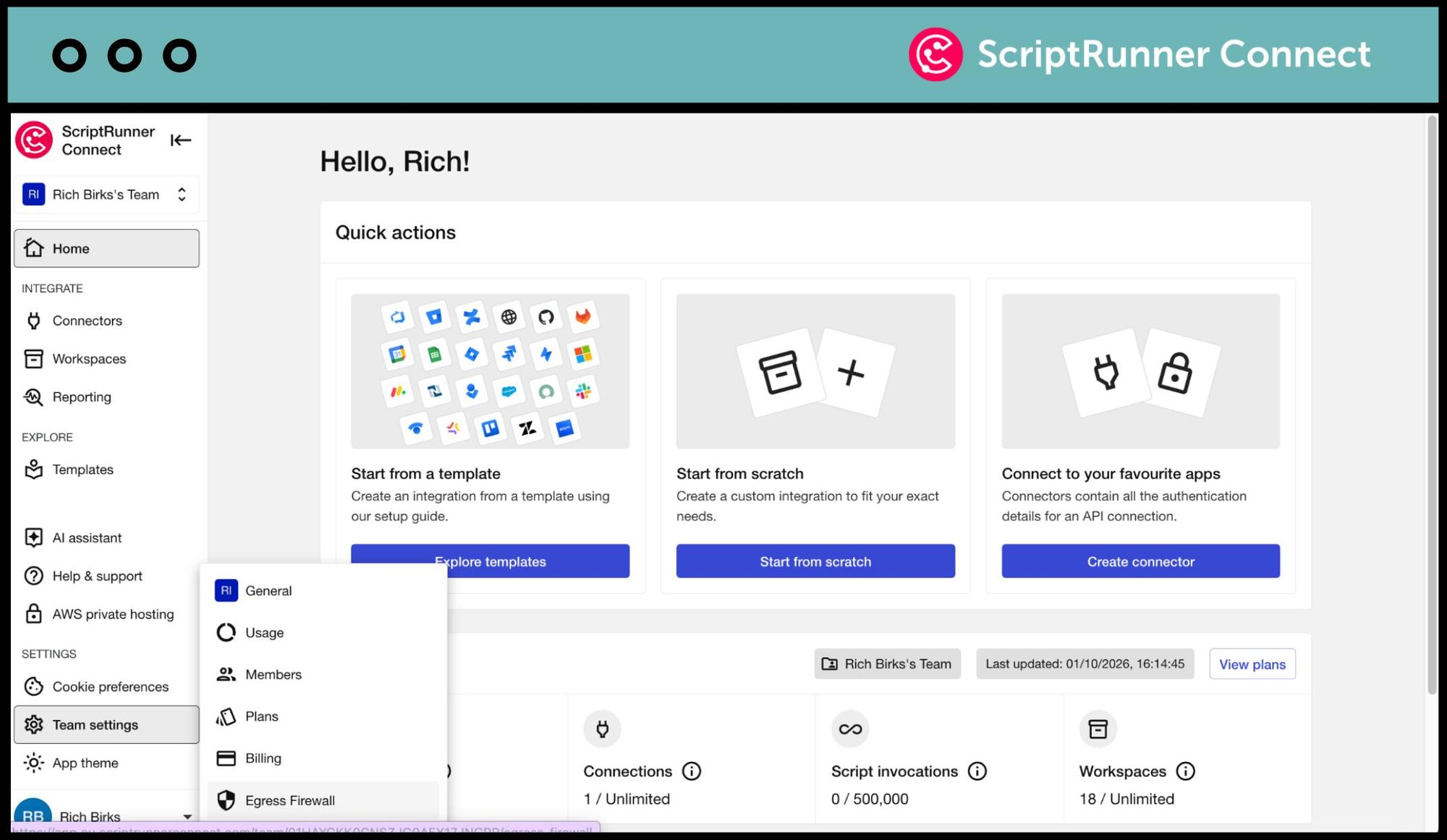
Screenshot of the Egress Firewall feature appearing in the side nav menu of ScriptRunner Connect

Manage connections with confidence

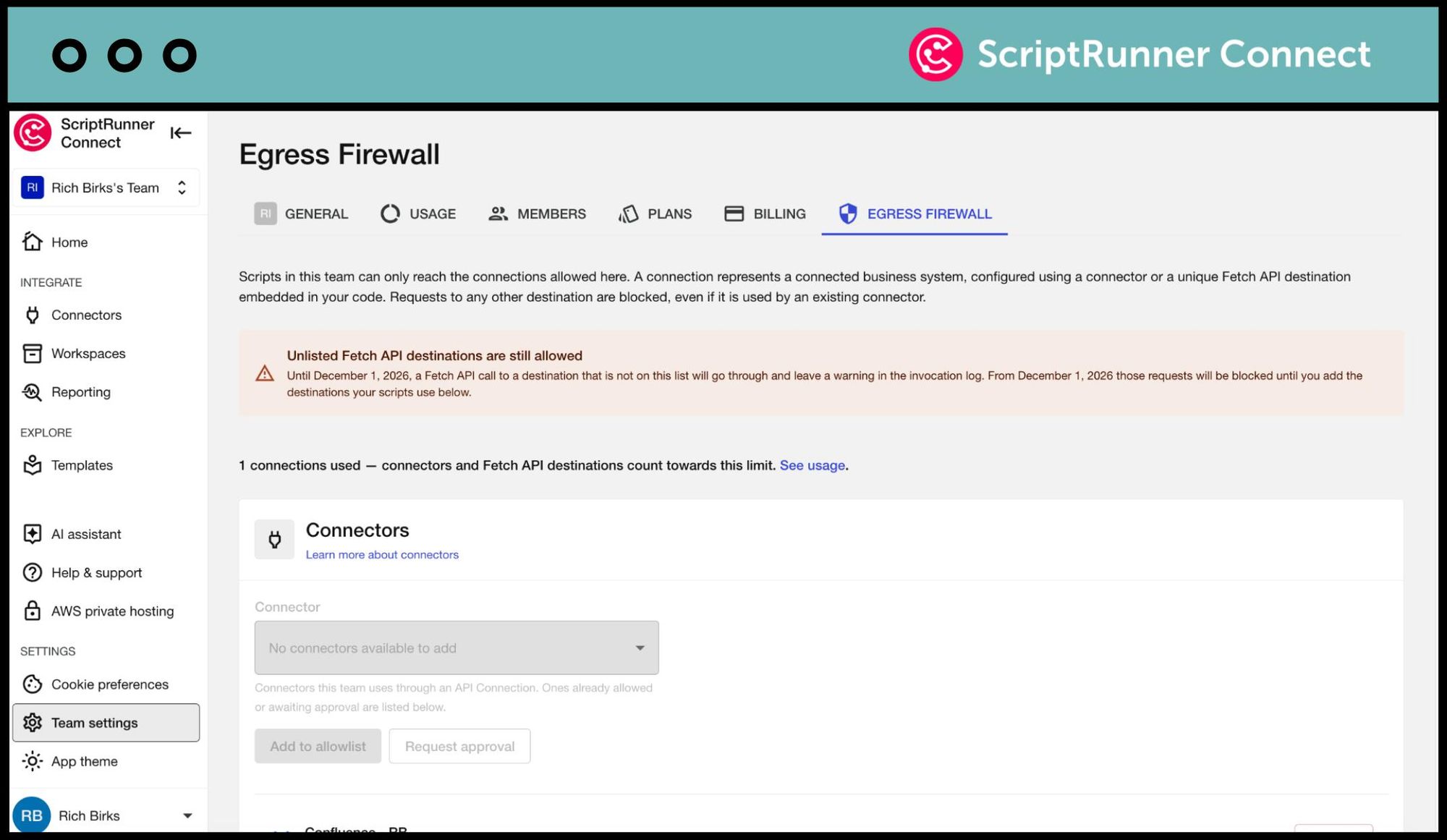
Keep your team's external connections in one centralised allowlist. Admins and super-admins can approve or reject connection requests, while team members can request access when they need to connect to a new service. Each approved connection counts as one connected business system, which can then be used across multiple integrations.
A connection or connected business system represents an individual instance of the system you're integrating. It can be connected through a connector or a unique Fetch API destination embedded in your code.
Screenshot of the Egress Firewall feature in ScriptRunner Connect

Block unapproved connections

Stop integrations from accessing external services that haven't been approved. Requests to unapproved destinations are automatically blocked, whether they're made through a connector or directly through the Fetch API. This helps protect your integrations from connecting to services outside your team's approved connections.
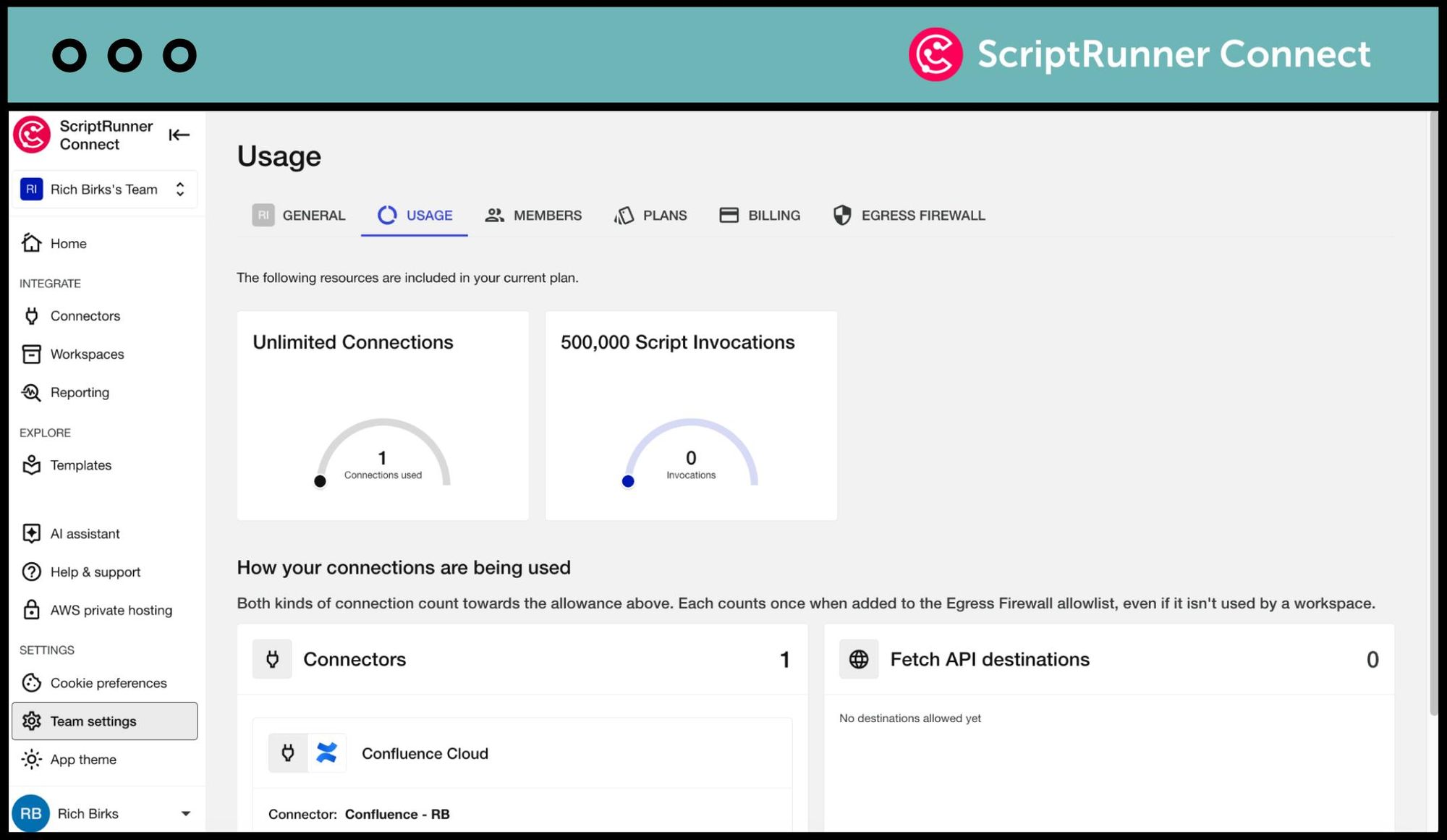
Screenshot of the Egress Firewall feature appearing in the Usage section of ScriptRunner Connect

Meet your Customer Success Team

Get a custom, private demo from one of our integration experts so you can chat freely about your specific challenges!

More where that came from

ScriptRunner Connect is filled with rich features to help teams like yours build your best-ever integrations.
Pink scripting code block icon with two yellow sparkles above it

Remote workspace (NEW)

Build and manage integrations from your own development environment.
Learn more
Icon of a browser window with a book outline inside it

Templates

Kickstart integrations with pre-built templates for common automation, synchronisation, and migration use cases.
Learn more
Icon of a grey cog over a teal cloud

Managed API

Making coding easier for an awesome developer experience.
Learn more
Icon of a plug and socket inside a grey cog

Connectors

Manage integrations with pre-built Connectors and a Generic Connector for secure and automated authentication.
Learn more
Icon of a calendar with a clock outline inside it

Custom triggers

Choose from event-based triggers, manually triggering an integration script or time-based scheduled triggers.
Learn more
Pink lightning bolt icon inside a teal circle

AI assistant

Generate scripts, learn the product's full capabilities and find relevant out-of-the-box use case templates.
Learn more
Icon of a person wearing a headset

Teams

Collaborate in shared workspaces to align on integrations for a faster time-to-value.
Learn more
Teal shield icon with a grey cloud symbol within it

Private cloud hosting

Run ScriptRunner Connect in your isolated AWS environment for maximum security.
Learn more
Icon of three colourful stars

US data residency

AWS-powered infrastructure for enterprise-grade security, reliability and performance.
Learn more
Icon of a pink cog inside a teal shield

Security

Rely on the expertise and security-first credentials of the teams behind ScriptRunner.
Learn more

Sound like what you need?