To Product Updates Hub
Updated: What's new with the ScriptRunner Migration Suite
Verity Blake
21 October 2026
Read in 6 min
A new version of the ScriptRunner Migration Suite is now live. To access new features and improvements across the toolset, you need to log in from a new URL. Read on to find out what's changed and how to access the new ScriptRunner Migration Suite.
Please note: the old ScriptRunner Migration Suite platform will become read-only on 1 December 2026.
When the old platform becomes read-only, you will still be able to:
- view and export existing chats
- download a PDF report of existing analyses
You will be able to use the new ScriptRunner Migration Suite platform to:
- upload and carry out a new analysis
- convert a script from your analysis
- use the migration agent to chat
- collaborate with colleagues on migration projects
The ScriptRunner Migration Suite launched at the end of last year; we have already seen over 300 organisations make use of these tools to support their journey to Cloud. The tooling has now been replatformed so it can do even more: it's more robust, more scalable, and offers more features than were possible on the old platform.
How to access the new ScriptRunner Migration Suite
The URL to access the ScriptRunner Migration Suite has changed, but your login details remain the same. You can take any active migration projects with you to the new version using the instructions below.
What's new?
- More intelligent Migration Agent
- Work together with Projects
- Convert scripts more quickly with Bulk Conversion
- New public API
- Updated documentation and training
- Refreshed interface
More intelligent Migration Agent
The Migration Agent—powered by ScriptRunner Intelligence and purpose-built for ScriptRunner and Jira Cloud API—is now more intelligent and more efficient. Not only can it compile, test, execute, and save every conversion from its own dedicated virtual machine, it can also analyse files and generate documents, spreadsheets, and PDFs.
Work together with Projects
You can now easily share the migration journey with your colleagues using the new Projects feature. Everyone in your organisation can collaborate in real time, so they can track the progress of a migration and pick up where a colleague left off without a manual handover or copying scripts and configs. With every analysed instance, every script conversion, and agent sessions shareable to users on the same organisation domain, your migrations live within a shared project, and not in your chat history.
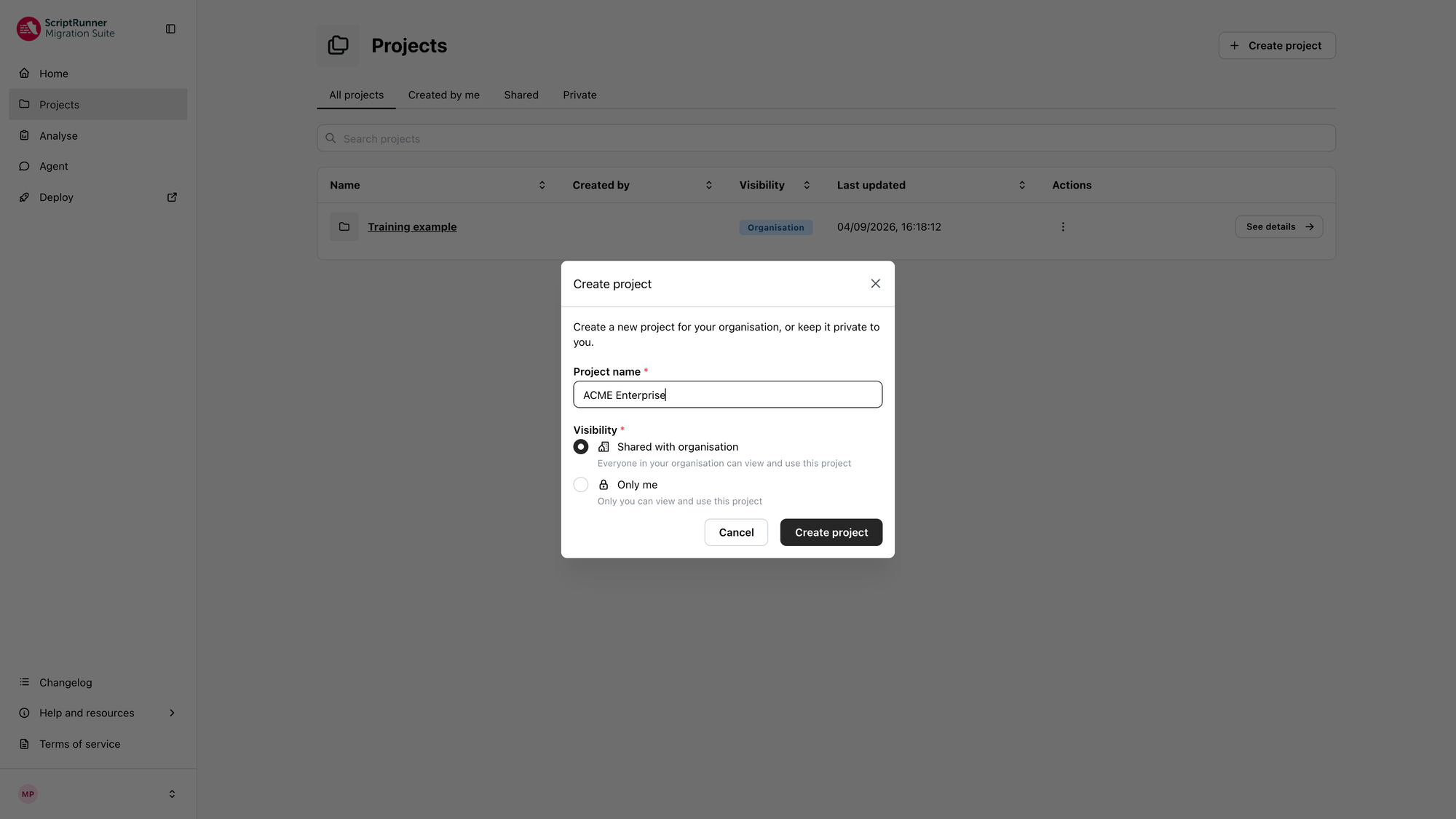
Creating a shared project in the new ScriptRunner Migration Suite
Convert scripts more quickly with Bulk Conversion
Rather than converting your scripts one at a time, you can convert all eligible scripts and features from an entire analysed Data Center instance in one run with the new Bulk Conversion feature. After you've analysed the instance using the Analyse and Assess Tool, simply choose a feature type and watch as Bulk Convert works across every in-scope script within a single run, removing manual intervention between scripts for even faster conversions.
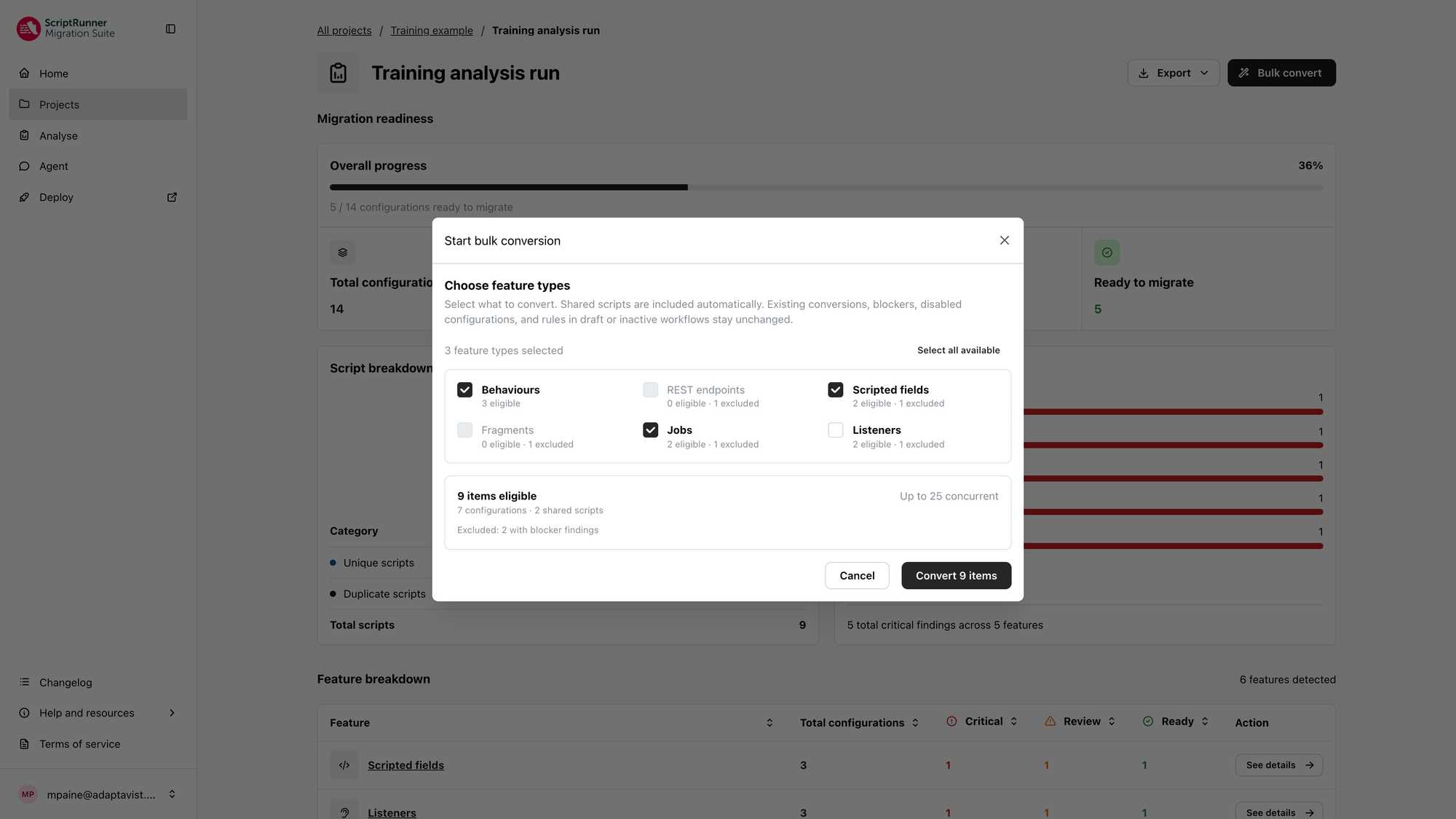
Starting a bulk conversion in the new ScriptRunner Migration Suite
New public API
Fully embed the ScriptRunner Migration Suite into your existing tools and processes with the new public API. You can interact with the platform without using its UI, integrate with tools like Jira, and build automations, for a more seamless migration journey. Learn more about the API spec here.
Updated documentation and training
The ScriptRunner Migration Suite documentation has had a refresh and there's new training to help you and your colleagues get the most from the new features and improvements. View the documentation here.
Learn how to use these new tools with updated product training and full product walkthroughs:
Product training
Analyse and Assess tool demonstration
Migration Agent demonstration
Dev and Deployment tool demonstration
Refreshed interface
To better reflect how a team works through a migration, the ScriptRunner Migration Suite has a redesigned interface and an easier-to-navigate menu.
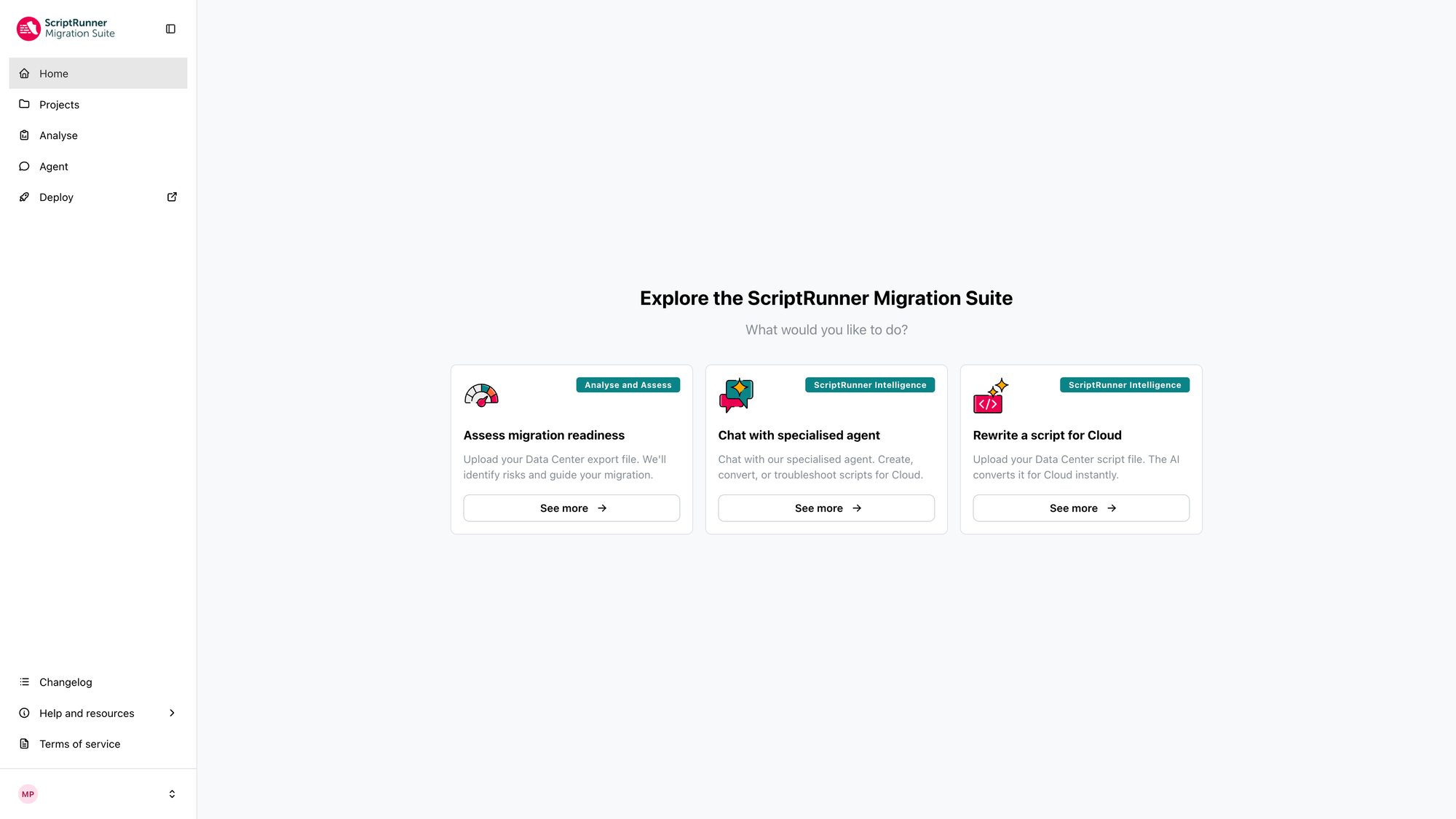
The new ScriptRunner Migration Suite interface
What's staying the same
While we've made improvements to the Migration Agent, the Assess and Analyse and the Dev and Deployment tools will continue to work in the same way. You can also continue to benefit from:
Data residency
You can still select where your in-scope data is hosted, with data residency available in the EU or US. You will be prompted to choose which residency best suits your needs before you log in, and you can change your selection at any time within the app. Visit the documentation for more information.
Login credentials
You can access the new ScriptRunner Migration Suite from the new URL scriptrunnermigrationsuite.com using your usual login credentials.
Haven't tried the ScriptRunner Migration Suite yet?
The ScriptRunner Migration Suite speeds up every stage of the ScriptRunner for Jira migration journey.
The old ScriptRunner Migration Suite platform is becoming read-only
The old version of the ScriptRunner Migration Suite will become read-only on 1 December 2026. After this date, you can still view and export any analyses and chats to help you move any active migrations over to the new ScriptRunner Migration Suite platform. The old platform will eventually be fully retired so please move any active migrations as soon as possible.
How to move a migration to the new ScriptRunner Migration Suite
If you are currently mid-migration, here's how to take your current migration to the new version of the ScriptRunner Migration Suite:
1. Clean up any chats to start the new version of the ScriptRunner Migration Suite with a tidy chat record.
2. Export chats from the old ScriptRunner Migration Suite (see below for instructions).
3. Import chats to the new version.
4. Bookmark the new URL.
5. Start exploring the new features on the new ScriptRunner Migration Suite.
How to export chats
Step 1: In the old version of the ScriptRunner Migration Suite, locate the ‘Export chat data’ tab from the navigation on the left-hand side.
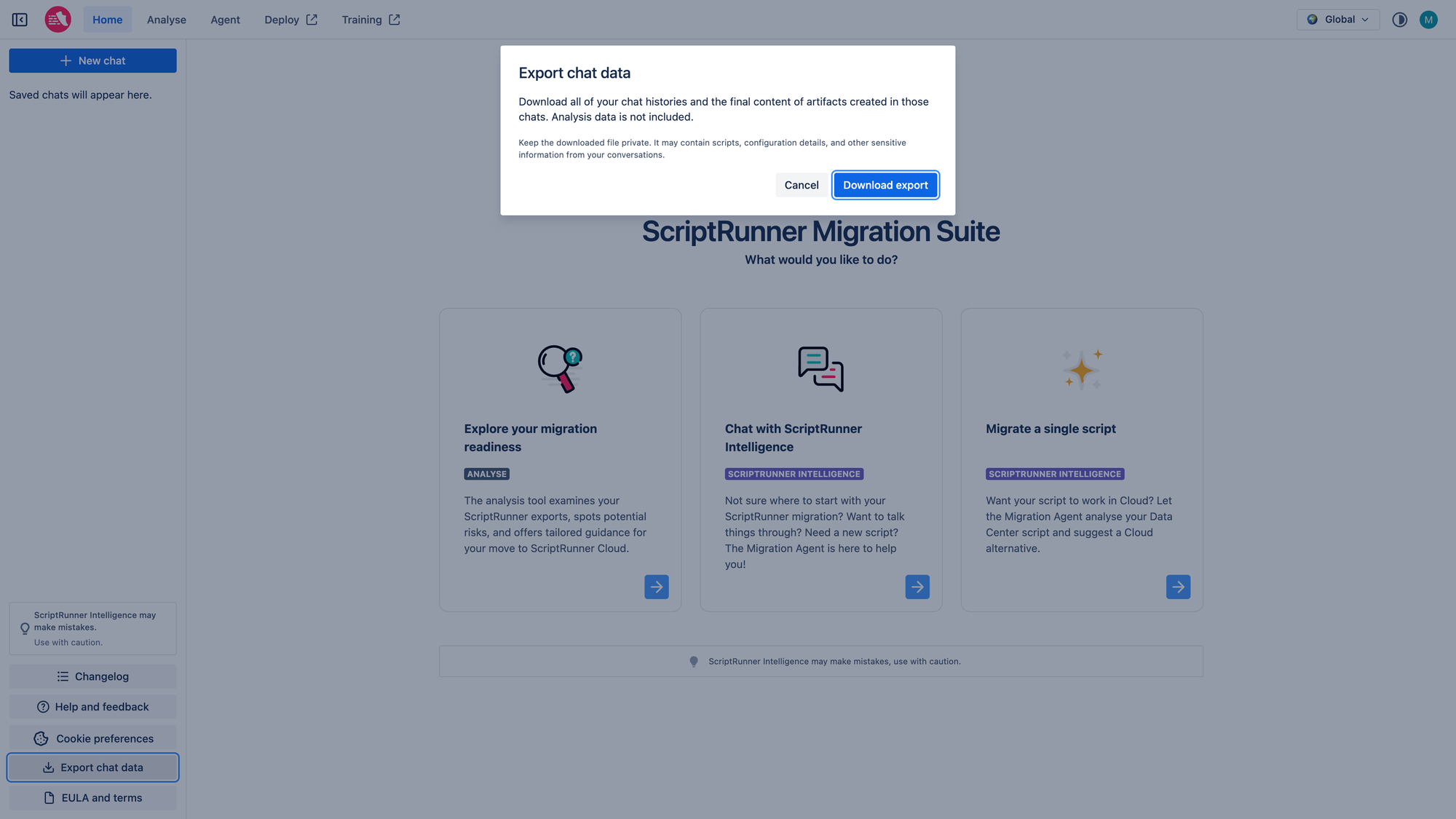
Step 2: Log in to the new ScriptRunner Migration Suite and click on your profile name in the bottom left-hand side, then choose ‘Import chats’.
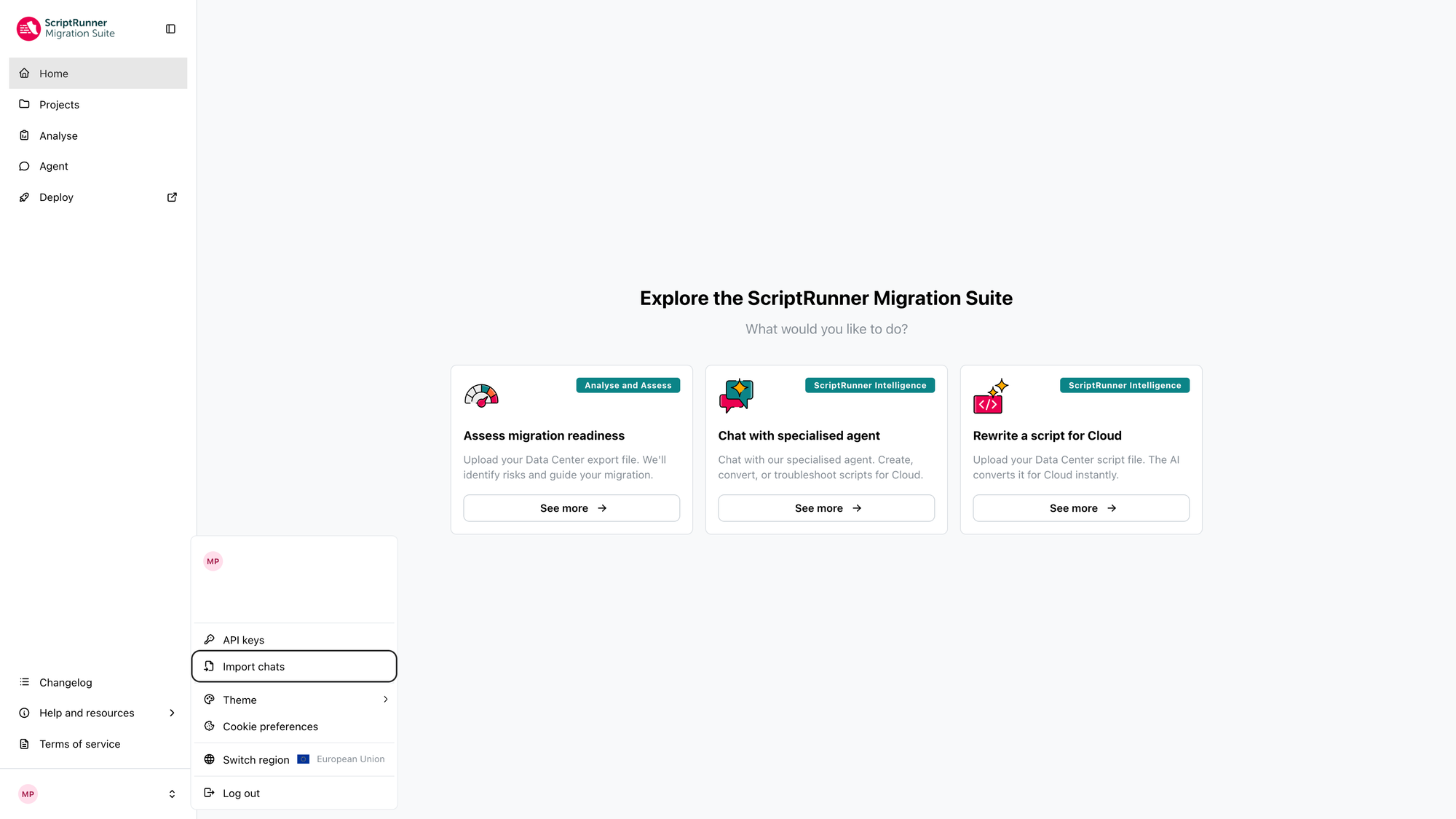
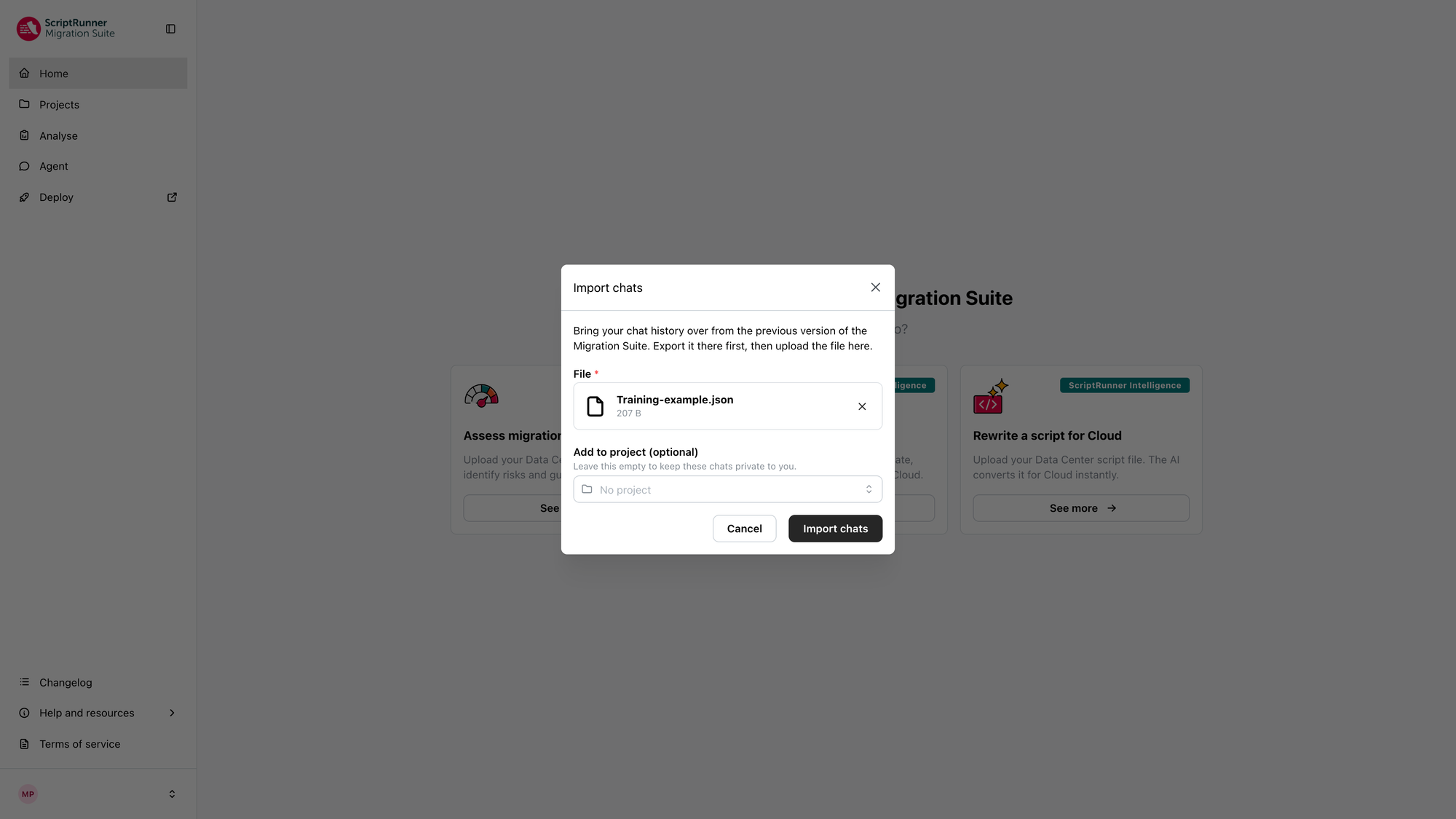
Step 3: Upload the chat log from step 1, choose sharing preferences, and then click ‘Import chats’.
Access the new ScriptRunner Migration Suite now
Take a look around the new look ScriptRunner Migration Suite, and remember to bookmark the new link.
Quick start resources
Get to know the new ScriptRunner Migration Suite and access the help you need to get started.
- Learn more in our documentation and FAQs.
- Watch demonstrations of each tool.
- Request a demo.
- Raise a support ticket.
How did you find this update?
Related Content
Access the new ScriptRunner Migration Suite
Take a look around the new look ScriptRunner Migration Suite—and remember to bookmark the new link!