
Verity Blake

Reece Lander
Published on 19 May 2026
ScriptRunner Migration Suite
ScriptRunner for Jira


How ScriptRunner Migration Suite outperforms generic AI in Cloud migrations
The ScriptRunner Migration Suite is more than just a script converter; it spans the entire ScriptRunner for Jira migration journey. But how does it stack up against generic AI tools?
Everyone who has gone through an Atlassian Cloud migration knows that every little bit of help makes the whole experience less painful. ScriptRunner continues to invest in simplifying and accelerating the most challenging aspects of any ScriptRunner migration.
ScriptRunner migration is a product-specific, platform-specific, runtime-specific problem. A workflow condition that works in ScriptRunner for Jira Data Center may need to become a Jira Expression in Cloud. A Behaviour may need to become TypeScript against Forge UI Modifications. A Groovy script that relied on Jira internals may need a HAPI-first rewrite, a REST-based redesign, or a new approach to better fit Cloud’s functionality.
The ScriptRunner Migration Suite (SMS) isn’t just one tool—it’s a whole platform of tools that link together to help throughout the lifecycle of a Cloud migration. SMS comprises three main tools built around the actual structure of ScriptRunner migrations: export, assess, analyse, convert, review, and deploy.
Measure twice, migrate once—starting with analysis
Any good migration starts with visibility. You need to understand what you have, what is important, and how you will get there, and this is where the Analyse and Assess tools come in.
The Analyse and Assess tools are examples of tools that are deterministic, they don’t rely on any AI-related tech. Instead, it reads a Script Registry export from ScriptRunner for Jira Data Center, groups scripts and configuration by feature, produces a readiness report, and points to Cloud equivalents or alternatives where they exist. That matters because migration problems usually show up before a rewrite starts. Teams planning Jira Data Center to Cloud migrations often lack a clear, data-driven view of their ScriptRunner usage. They frequently do not know which scripts they have, how complex those scripts are, or where the real risk and effort sit. By using this tool to understand Cloud-readiness and compatibility, teams can pinpoint high-risk areas and estimate the required effort. This visibility lets them set realistic migration timelines and prioritise the right work, showing exactly where the ScriptRunner Migration Suite can cut manual effort and significantly reduce problems on their journey to the Cloud.
The Analyse and Assess tools are examples of tools that are deterministic, they don’t rely on any AI-related tech. Instead, it reads a Script Registry export from ScriptRunner for Jira Data Center, groups scripts and configuration by feature, produces a readiness report, and points to Cloud equivalents or alternatives where they exist. That matters because migration problems usually show up before a rewrite starts. Teams planning Jira Data Center to Cloud migrations often lack a clear, data-driven view of their ScriptRunner usage. They frequently do not know which scripts they have, how complex those scripts are, or where the real risk and effort sit. By using this tool to understand Cloud-readiness and compatibility, teams can pinpoint high-risk areas and estimate the required effort. This visibility lets them set realistic migration timelines and prioritise the right work, showing exactly where the ScriptRunner Migration Suite can cut manual effort and significantly reduce problems on their journey to the Cloud.
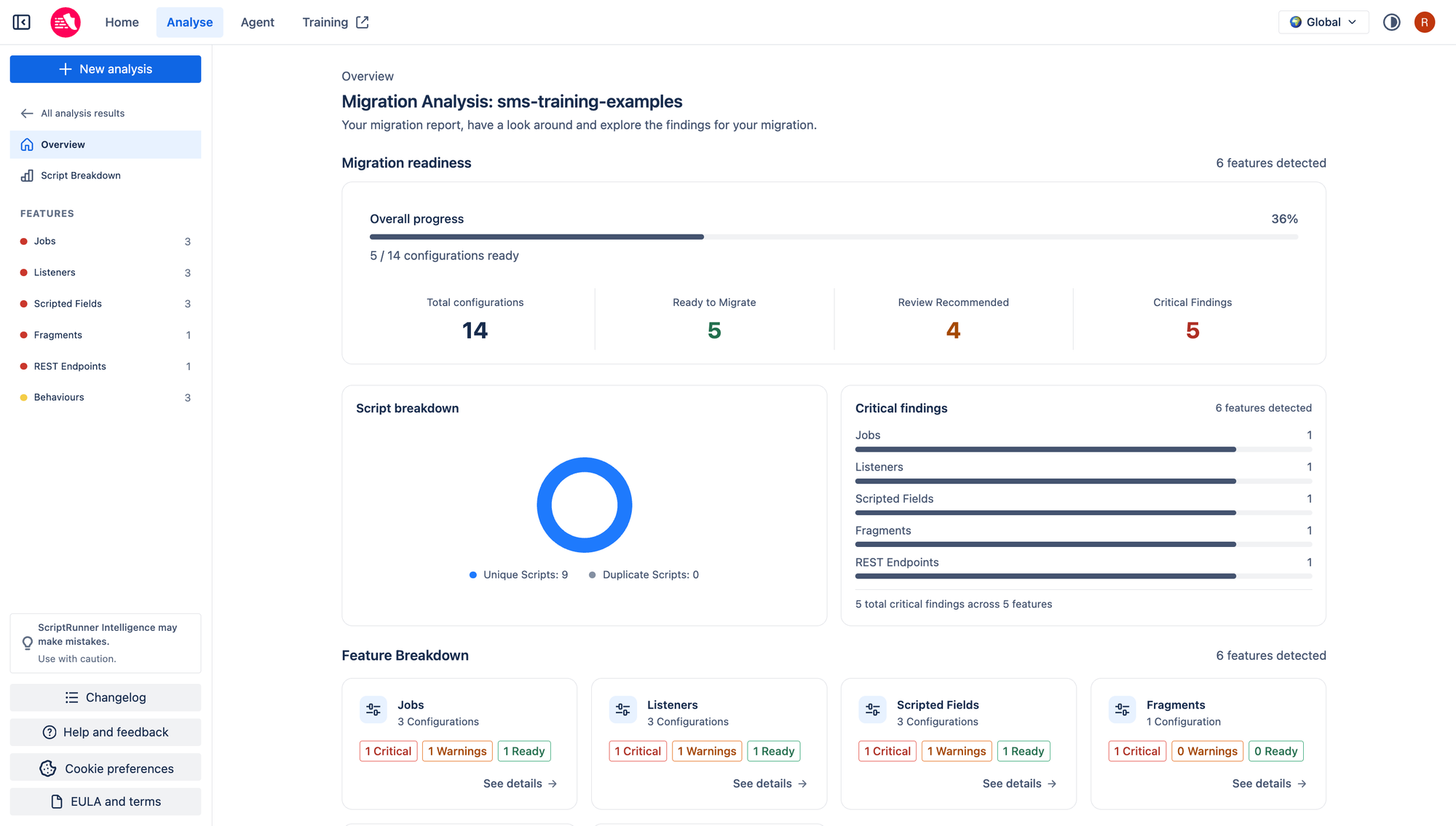
ScriptRunner Staff Engineer Reece Lander explains why this matters at enterprise scale. "ScriptRunner migration is a labour-intensive task with thousands of decision points across scripts and configuration. The Migration Analyser can import and analyse thousands of configurations and scripts in parallel, returning an overall assessment for an instance in around 60 seconds. The analyser currently contains roughly 1,200 individual checks across configuration and API usage."
While a general-purpose model can react to the script you paste into a chat window, SMS first arms you with a structured first pass across the entire migration estate.
While a general-purpose model can react to the script you paste into a chat window, SMS first arms you with a structured first pass across the entire migration estate.
Reading structure, not just matching text
There is another layer to that difference. SMS is not reading Groovy as raw text and hoping for pattern matches.
The Migration Analyser uses static analysis. It compiles customer scripts with ScriptRunner's Code Insight engine, walks the Groovy AST, and inspects method calls, constructors, property access, and custom field usage without executing customer code. That is an important trust point for technical teams.
The analyser does not need a live Jira instance, and it does not run the customer's script. It reads the structure, type information, bindings, and API usage, then maps those findings to migration guidance.
The analyser does not need a live Jira instance, and it does not run the customer's script. It reads the structure, type information, bindings, and API usage, then maps those findings to migration guidance.
That approach gives SMS something a generic coding assistant usually does not have, such as:
- real type-aware understanding of ScriptRunner Groovy usage
- custom field context and field-shape guidance
- feature-level understanding of Listeners, Workflows, Behaviours, Jobs, and related configuration
- product-specific migration paths for Cloud targets
Here's a concrete example: a Data Center workflow condition might call issue.getStatus() and read a custom field by name through the Jira API. In Cloud, that same logic may need to become a Jira Expression using issue.status and issue.customfield_12345, with different null rules and a hard complexity budget. A generic model can only infer part of that from pasted code. SMS can surface the target constraints before the rewrite starts.
If you're a Solution Partner or a technical lead trying to scope risk early, this reduces the amount of manual digging required before a team or agent can even decide how to approach the work.
SMS uses AI where AI helps most
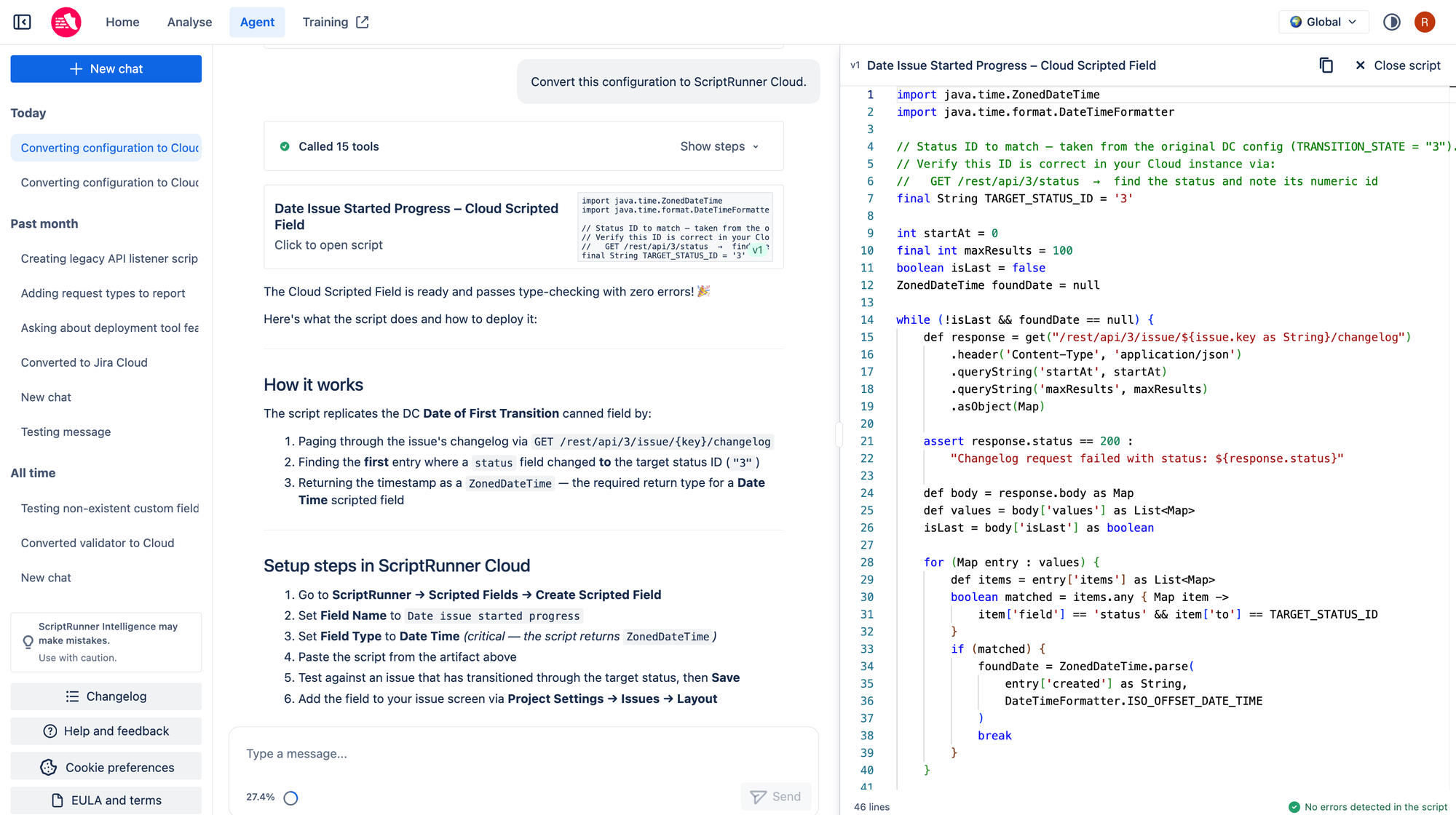
The Migration Agent is a specialised AI chat agent grounded by product knowledge and validation steps specific to ScriptRunner migration. The agent researches current API documentation, performs recursive API lookups, validates generated code automatically, and prioritises HAPI over raw REST API calls whenever possible.
Cloud rewrites are full of product-specific factors:
- Workflow conditions and validators use Jira Expressions, not Groovy, with various API limitations and edge cases.
- Custom fields in some Cloud contexts must be referenced by ID, not name; the Migration Analyser surfaces the name to ID mapping to the agent ahead of time.
- HAPI may cover a use case cleanly, while a raw REST rewrite would be longer and harder to maintain.
- Some features have partial parity or work differently.
The Migration Agent FAQ also gives a useful benchmark: simple scripts take a few minutes, while complex solutions take longer because the agent researches APIs and validates the output thoroughly.
For migration work, compare this to a generic assistant that gives a fast first answer with little product grounding and leaves the team to find the edge cases later.
Benchmark data puts the gap in numbers
MigrationBench is Reece Lander's experimental evaluation of how effectively different AI agents convert ScriptRunner for Jira Data Center logic into their Cloud-compatible equivalents. MigrationBench is important here because it measures behaviour preservation rather than code plausibility. It's important to understand whether the migrated logic still behaves correctly under Cloud semantics.
For the table below, we use Pass@k, the industry-standard metric that calculates the probability that an AI model produces at least one functional, working script within a specified number of attempts. In the current suite snapshot used as part of this benchmark work, the published numbers are:
| Language | Agent | Pass@1 | Pass@5 | Avg latency/task |
|---|---|---|---|---|
| Jira Expressions | SMS Migration Agent | 95.1% | 98.6% | 22.95 |
| Jira Expressions | Codex (GPT 5.5) High + Web | 67.6% | 77.5% | 32.8s |
| Groovy | SMS Migration Agent | 86.2% | 94.8% | 109.55 |
| Groovy | Codex (GPT 5.5) High + Web | 51.7% | 75.9% | 200.55 |
SMS is outperforming general-purpose coding agents on the benchmark that was built around the real migration task. Even when public documentation is included in the prompt, the off-the-shelf setups still lack the same migration-specific context that SMS has built up through analyser output, prompt hardening, field-shape guidance, and failure analysis.
SMS covers more of the migration lifecycle
SMS also covers more of the migration lifecycle. Each of the three tools are designed to empower consultants and self-migrating customers at different stages of their migration journey, simplifying and speeding up their transition to the Cloud.
Reece adds, "SMS goes beyond simply converting scripts. It spans the end-to-end migration journey, including pre-migration work before a Cloud site has even been procured.".
Today, that means five practical layers:
- Collects scripts and the relevant configuration.
- Accelerates Cloud migration initiatives.
- Reduces manual effort and complexity.
- Safely streamlines the migration process.
- Sets you up for success in heading to Cloud.
That last part is easy to overlook, but it matters to operations teams. Migration work does not end when a chat window produces code. The Dev and Deployment Tool exists because testing, versioning and rollout still need discipline. It's a way to organise Cloud scripts, keep configuration alongside code, and deploy without manually recreating everything through the UI.
In practice, SMS does not stop at "here is some generated code." It stays in the workflow long enough to reduce manual effort on the rest of the migration path.
Why this matters to ScriptRunner users and partners
For ScriptRunner users, the value is lower migration risk. You get a clearer view of what you own, better guidance on what Cloud can support, and a specialist agent that works from product-specific constraints instead of generic coding priors.
For Solution Partners and consultants, the value is also commercial. Faster script rewriting means shorter project timelines and more capacity for new work. This allows partners to have more confident migration conversations with their clients, as they can set realistic timelines and budgets based on a predictable, automated process. By reducing manual effort, the migration becomes faster and more reliable. The suite provides lower migration risk and disruption through built-in checks and validation. These features reduce system downtime and avoid costly rollbacks during the transition. Partners benefit from a structured, repeatable migration journey that follows a standardised approach through every phase. These tools aim to improve productivity and leave humans focused on the judgment-heavy parts of the work.
For technical and operations teams, the value is control. Deterministic analysis, product-aware generation, and a path into staged deployment are all easier to govern than a migration process built from ad-hoc prompts and manual patching.
Why the gap will matter more over the next year
Many teams initially succeed with general-purpose AI tools because early experiments are simple: borrowed scripts, quick manual checks, and small cloud-based prototypes. These initial explorations rarely reveal the true challenges. The real complexity emerges when migration shifts from exploratory trials to a structured, sustained programme of work. That is when teams start asking harder questions:
- How do we assess thousands of scripts and configurations quickly?
- Which items are blocked by parity gaps?
- Where do Jira Expressions or Behaviours force a different language target?
- How many manual fixes should we expect at scale?
- How do we move from draft code to tested deployment artefacts?
SMS has been built around those questions. Generic AI tools have not. That gap is the differentiator. It is also the part teams should pay attention to before a migration plan hardens around tooling that performs well in demos but pushes too much of the difficult work back onto the delivery team.
Final thought
SMS starts with deterministic analysis, uses specialist AI where AI adds value, measures output against behaviour-preserving benchmarks, and carries the work forward into deployment. That combination is why it looks different from generic AI migration tooling, and why it belongs in a migration toolkit.
Ready to try SMS?
Request your access now to try out the toolset on your next ScriptRunner for Jira migration to Cloud.
Was this helpful?