To Product Updates Hub
How you access ScriptRunner for Confluence Cloud is changing
Nitin Chand
26 March 2026
Read in 2 min
As part of ongoing updates to app architecture, the in-app navigation and how you access the app will change in April.
From April 2026, how you access ScriptRunner for Confluence Cloud will change, along with improvements to the in-app navigation. These changes are part of ongoing updates to ScriptRunner for Confluence Cloud's architecture (moving to Atlassian's native Forge platform) to ensure the app's long-term scalability, while keeping the ScriptRunner experience consistent with the wider Atlassian ecosystem.
This change applies only to the admin interface and app entry point. All features and functionality are expected to work as usual, and all data held within the app will be available for use immediately from the new location.
What's changing
How to access ScriptRunner
- ScriptRunner for Confluence Cloud is moving to Settings → Apps to better align with Atlassian's standard navigation for marketplace apps. The app will remain in the same ‘Confluence administration’ area, but will move into the Apps section.
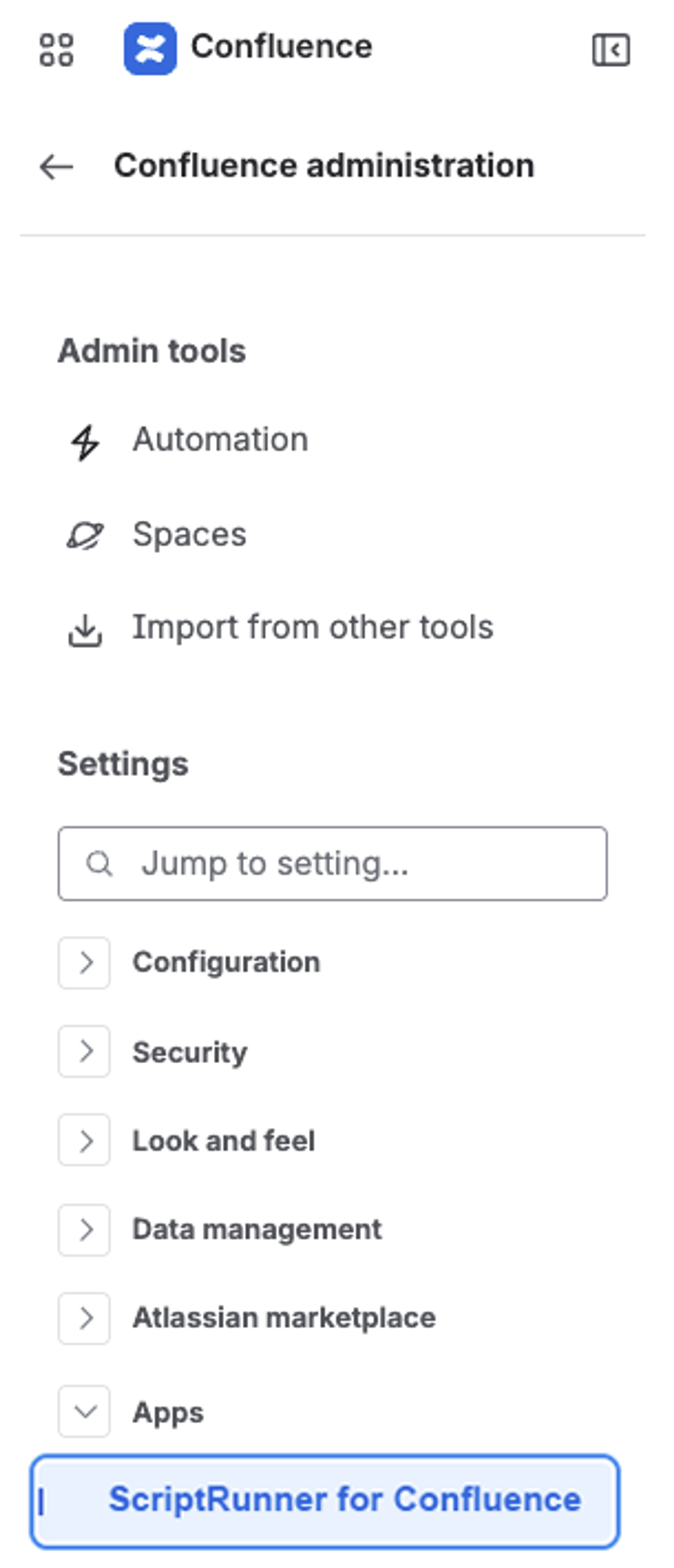
- The app will also be available directly from Confluence's left-hand global navigation sidebar, making it quicker and easier to access.
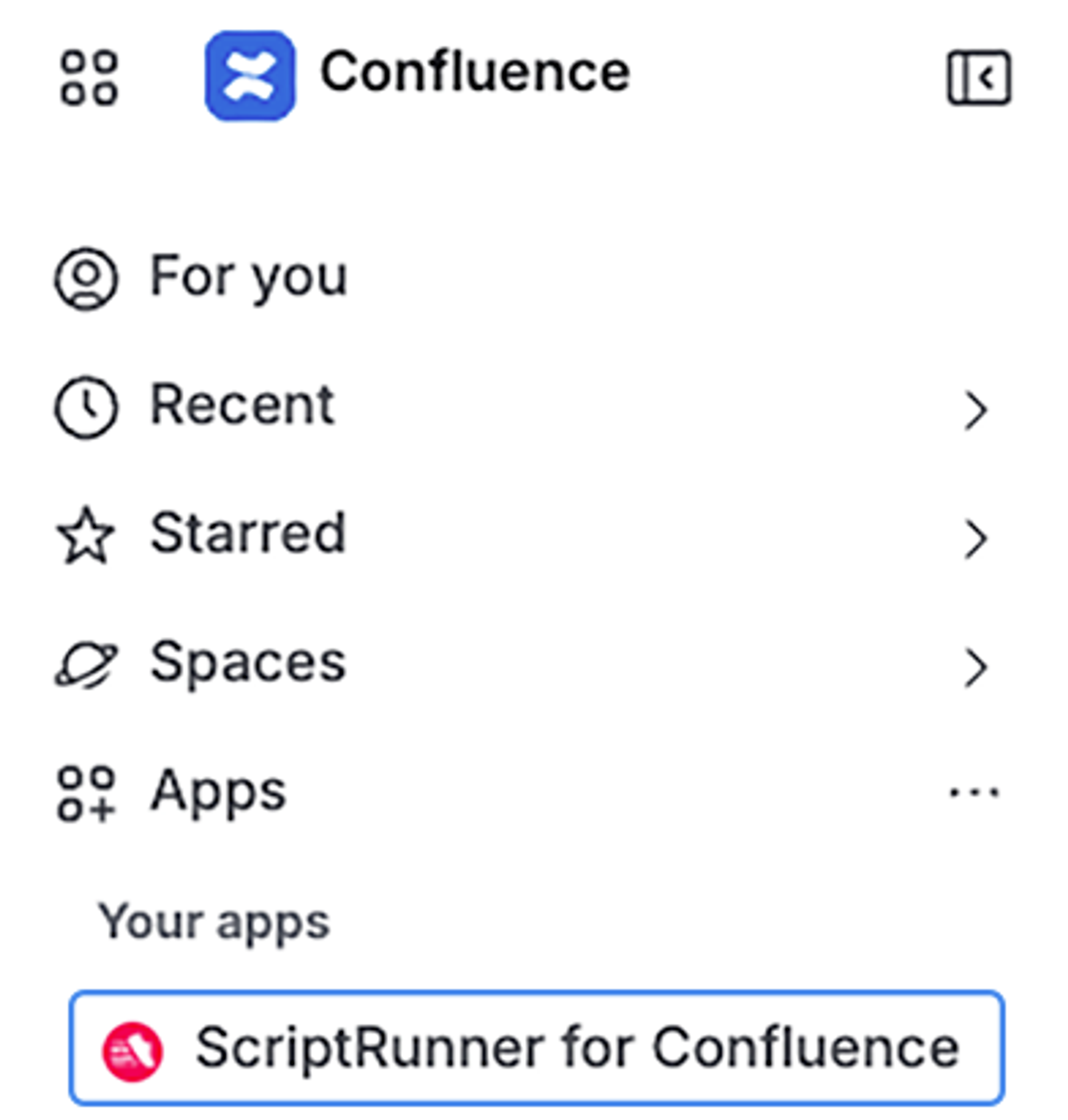
Improved in-app navigation for easier access to key features
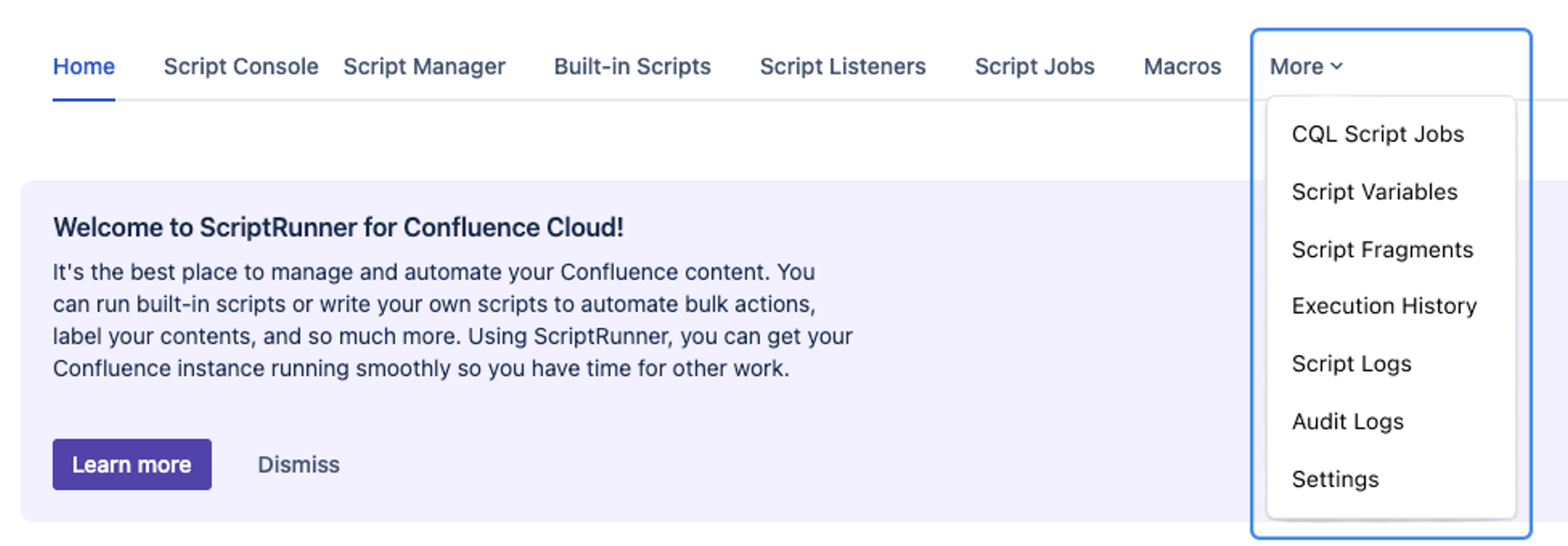
- The left-hand navigation will be removed, and all features will be accessible from the top navigation.
- Execution History, Script Logs, Audit Logs, and Settings will move under the ‘More’ button in the top navigation.
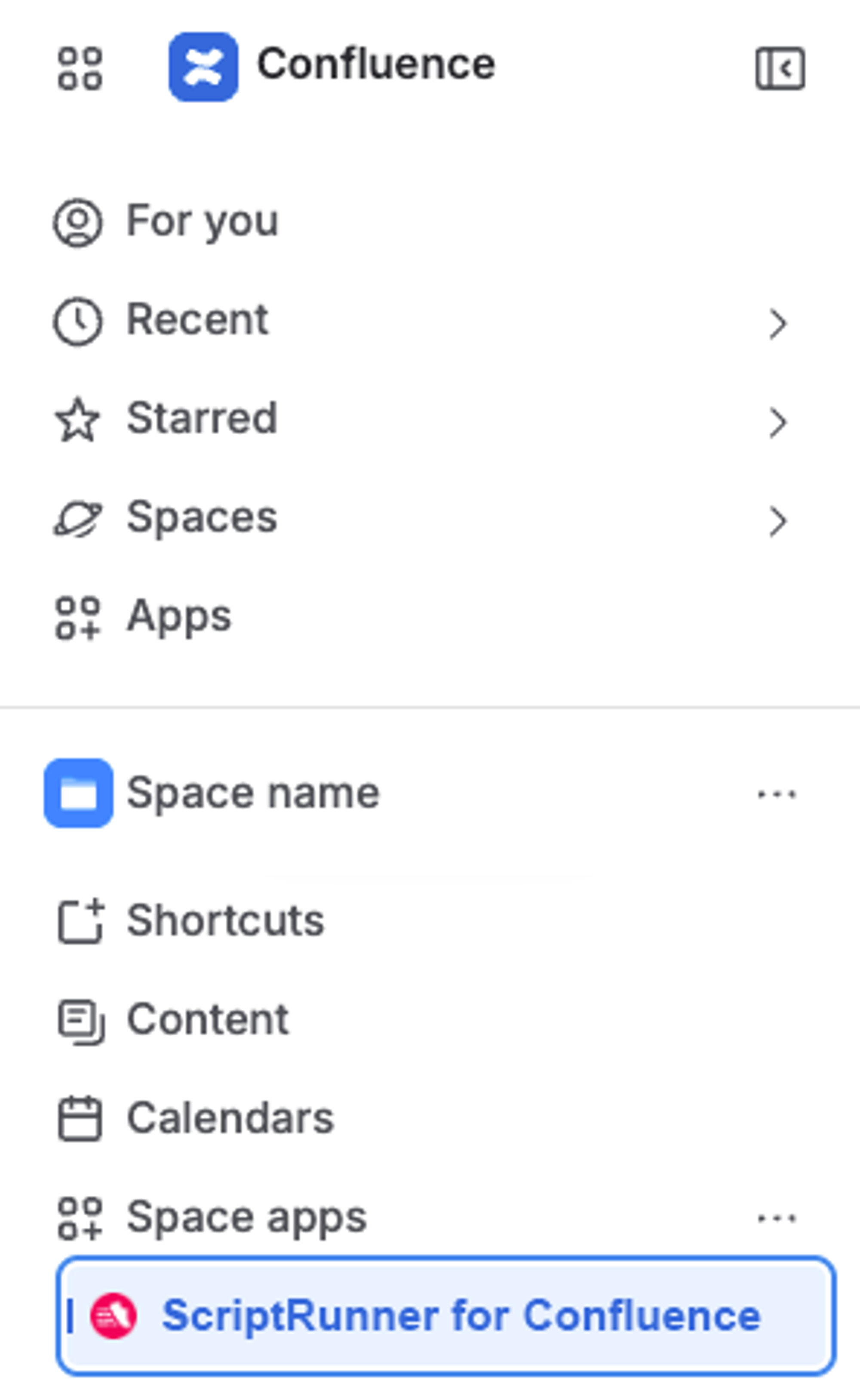
- Space administration built-in scripts will be accessible from the Space Apps menu.
Action required: Update your bookmarks
- Admin page URLs will change after the migration.
- After launch, please update any admin pages saved in your bookmarks.
During the transition, you may temporarily see the admin app in both locations. Changes made in either location will be saved. Please review the release notes for more information and remember to update your bookmarks once these changes are live.