To Product Updates Hub
New in ScriptRunner for Confluence Data Center: Updates to support your move to Cloud
Ankur Sharma
26 March 2026
Read in 2 min
An easy way to export your scripts, a migration runbook, and a redesigned homepage to help your move to Cloud go smoothly.
Planning your move to Cloud? These new updates in ScriptRunner for Confluence Data Center are designed to make your migration journey easier, helping you:
- Understand what you have today.
- Forge a clear path forward.
- Familiarise yourself with Cloud.
A refreshed homepage
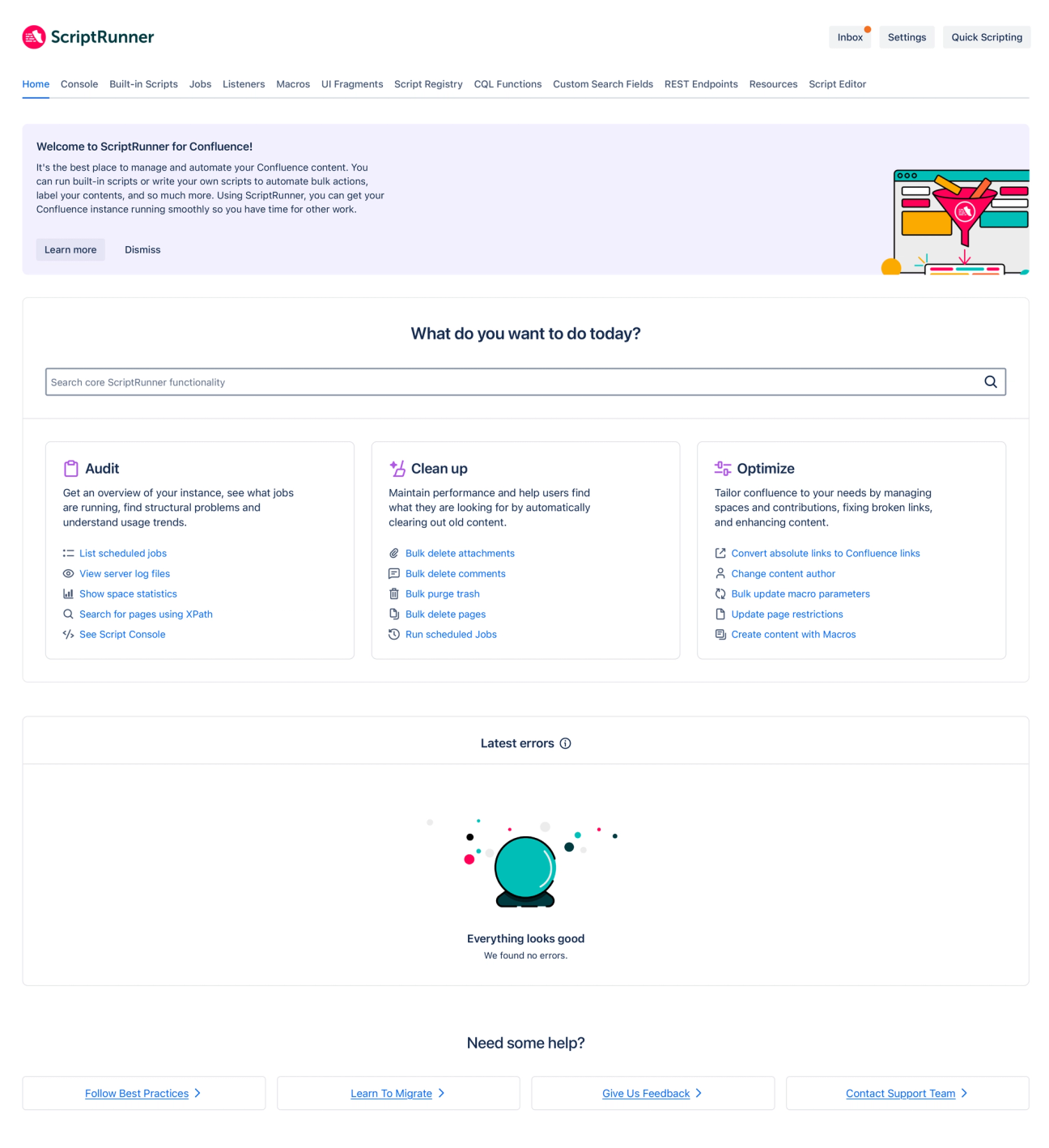
Your homepage has been redesigned to be cleaner and easier to navigate, with a layout that's closer to what you'll see in Confluence Cloud after your migration.
In practice, this means that you can find what you need faster with key actions surfaced more clearly, and when you migrate, the Cloud experience will already feel more familiar.
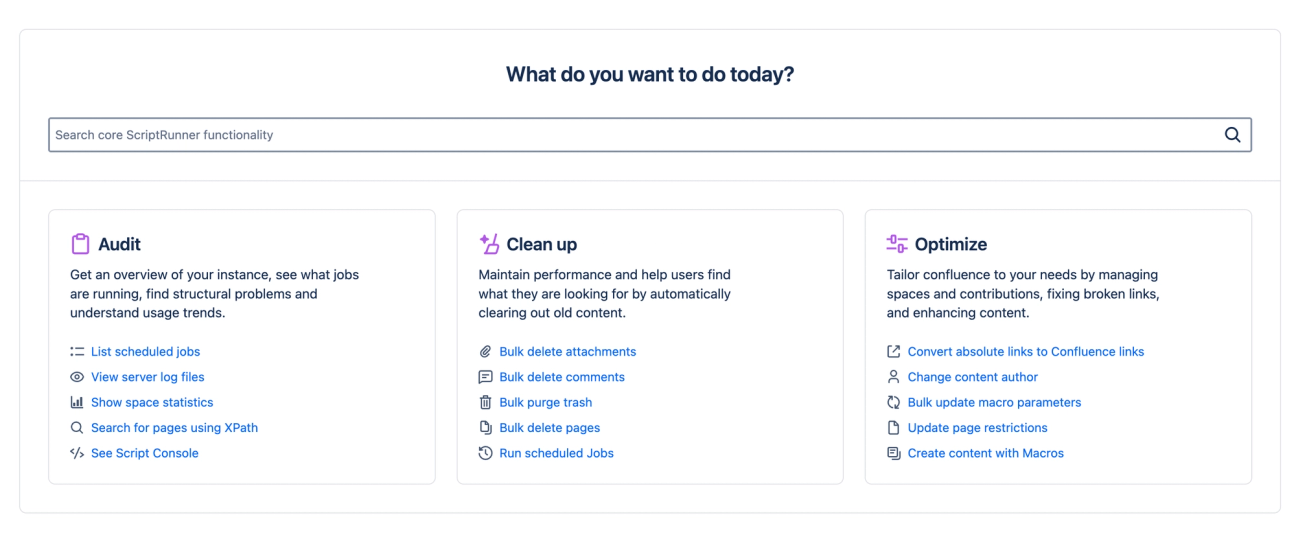
The new homepage panels for Audit, Clean-up, and Optimise help you find the tools to understand your instance and fine-tune your configuration—especially ahead of migration. This update also brings our most popular built-in scripts to the surface for easier access.
A new Script Export feature
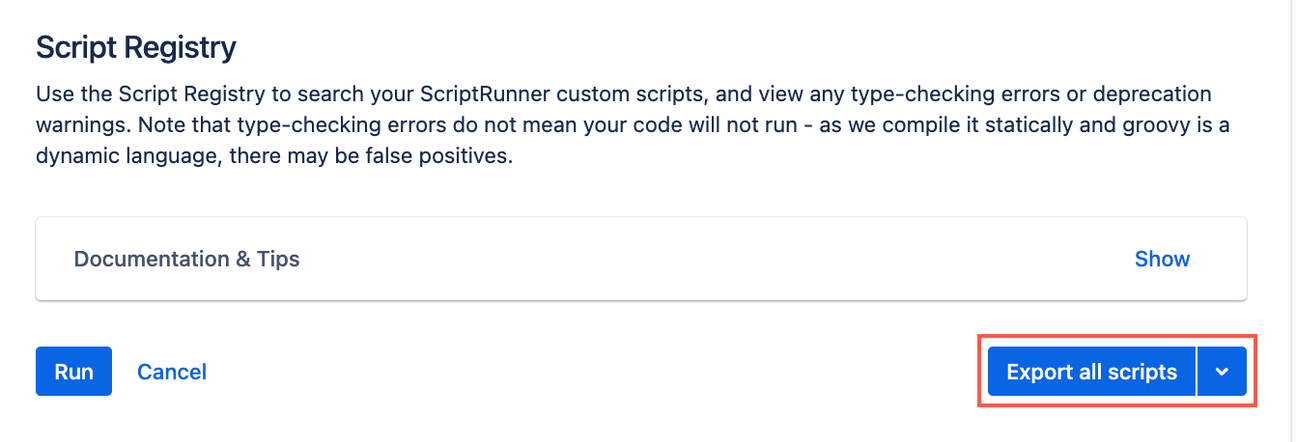
Script Export means you can now get a copy of all your ScriptRunner data exported from your instance in one go, making migration planning more straightforward.
Scripts across your instance, configurations, and custom fields with supporting metadata are all included in the export for a clear snapshot of your setup.
A practical migration runbook
Finally, there's a new migration runbook template available that you can use to guide your move to Cloud.
It's designed to help break down your migration into clear steps with assigned ownership and track progress along the way.
You can download your free migration runbook template here.
How did you find this update?