To Product Updates Hub
How you access ScriptRunner for Confluence Cloud has changed
Nitin Chand
1 September 2026
Read in 2 min
As part of ScriptRunner's ongoing move to Atlassian's Forge platform, the in-app navigation and how you access the app has now changed.
As of 1 September 2026, the way you access ScriptRunner for Confluence Cloud has changed, and improvements to the in-app navigation are now live. These changes are part of ScriptRunner’s ongoing move to Atlassian's Forge platform to ensure the app's long-term scalability, while keeping the ScriptRunner experience consistent with the wider Atlassian ecosystem.
These changes apply only to the admin interface and how you access the app. All features and functionality continue to work as usual, and all data held within the app is available for use immediately from the new location.
What's changed
How to access ScriptRunner
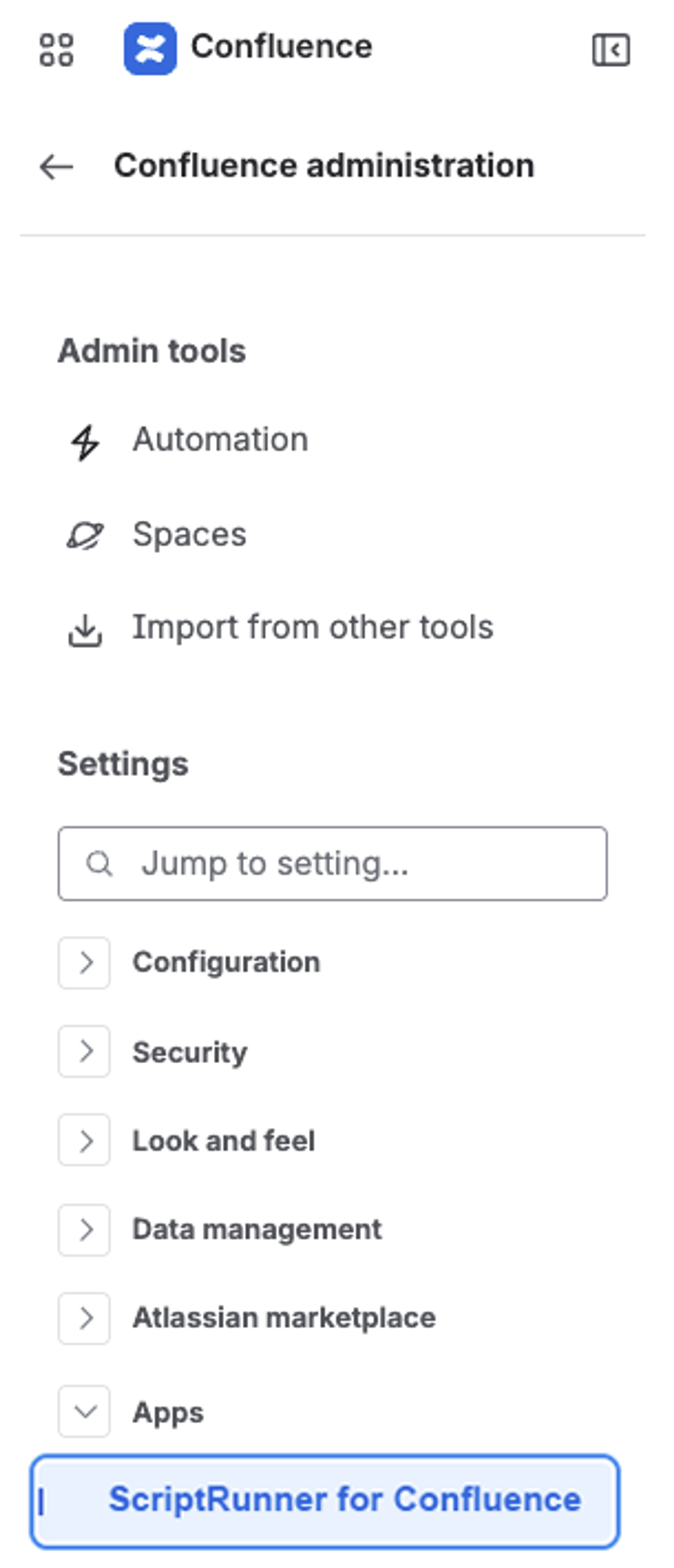
- ScriptRunner for Confluence Cloud has moved to Settings → Apps to better align with Atlassian's standard navigation for marketplace apps. The app remains in the same ‘Confluence administration’ area, but has moved into the Apps section.
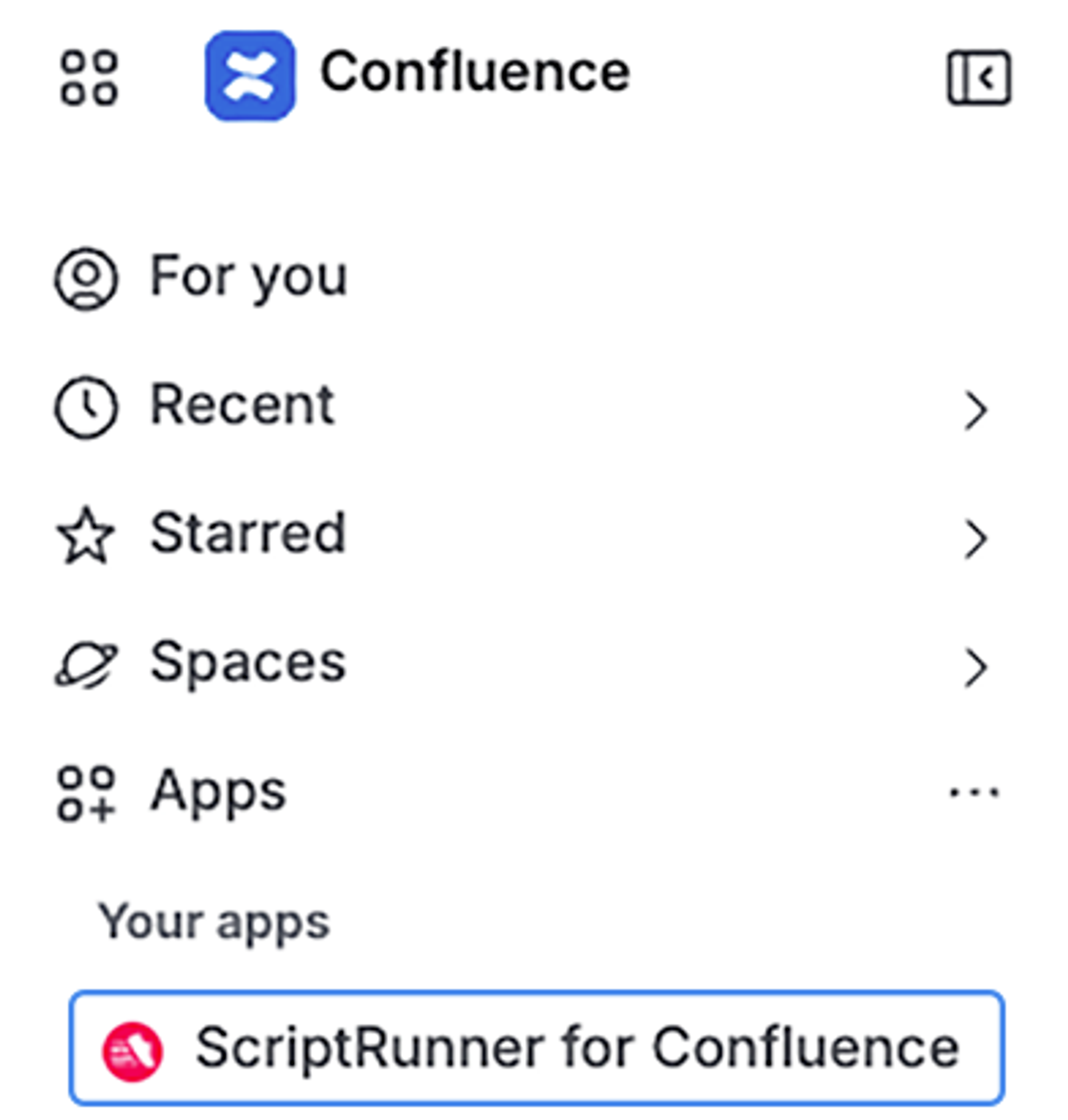
- The app is also available directly from Confluence's left-hand global navigation sidebar, making it quicker and easier to access.
Updated in-app navigation
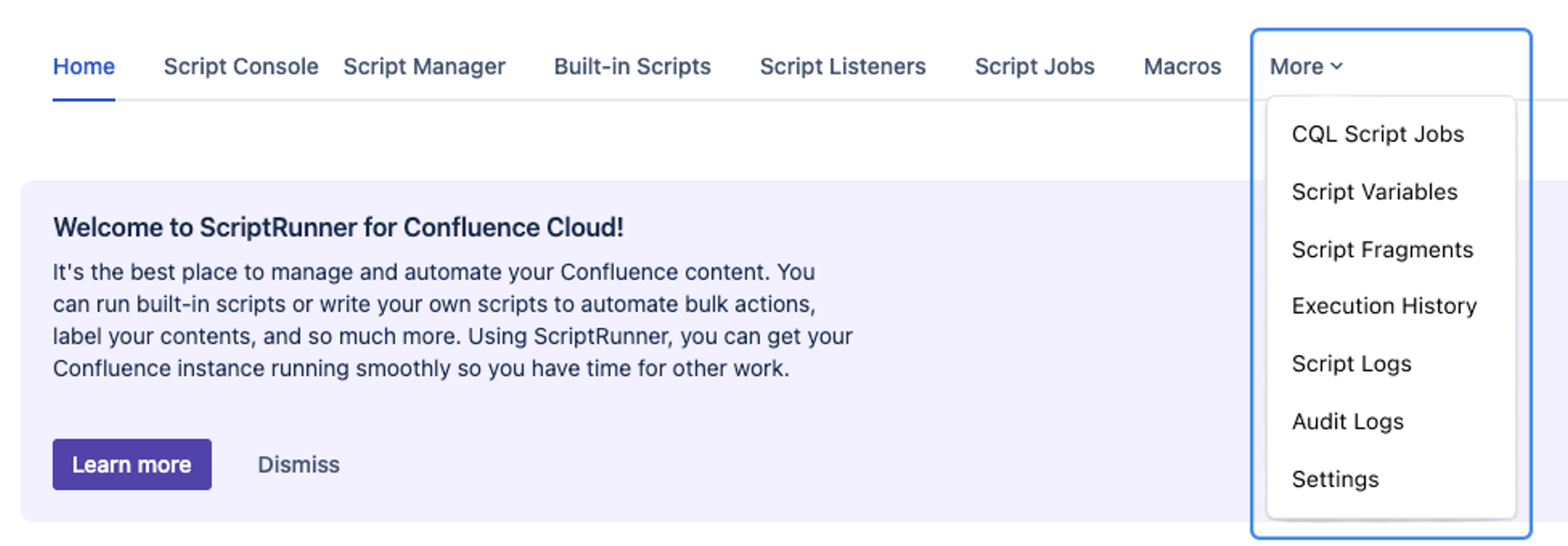
- The left-hand navigation has been removed, and all features are accessible from the top navigation.
- Execution History, Script Logs, Audit Logs, and Settings have moved under the ‘More’ button in the top navigation.
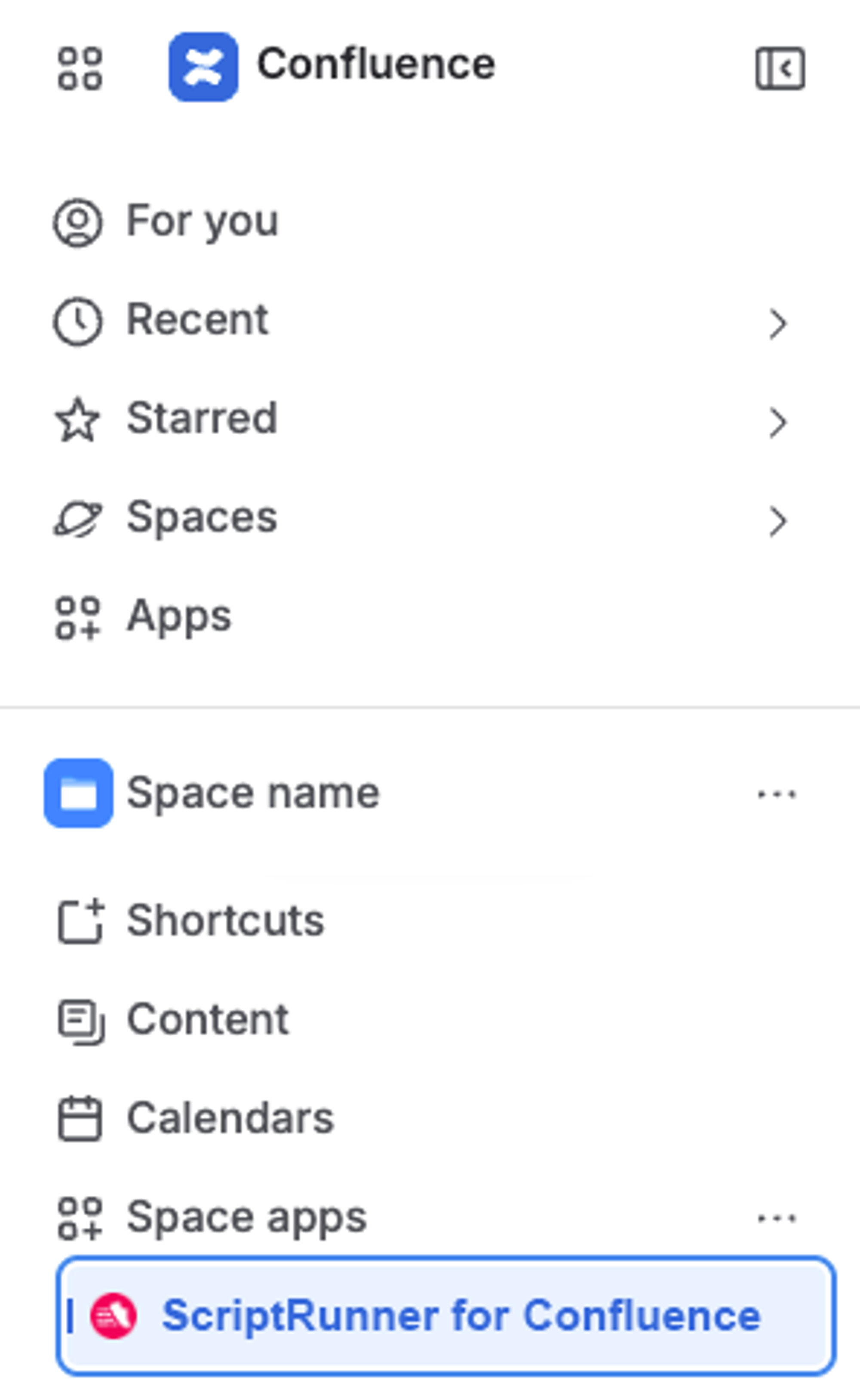
- Space administration built-in scripts are accessible from the Space Apps menu.
Action required: Update your bookmarks
- Admin page URLs have changed as part of the migration.
- Please update any admin pages saved in your bookmarks.
Please review the release notes for more information and remember to update your bookmarks.
How did you find this update?