Turn Jira data into automated Confluence reports with ScriptRunner for Confluence
Share on socials

Turn Jira data into automated Confluence reports with ScriptRunner for Confluence
Want to end the painful cycle of manual updates? This tutorial has you covered, teaching you how to automatically pull Jira data via JQL and generate a fully formatted report on a schedule.
Have you ever found yourself trapped in a cycle of manual updates as you export results from Jira and painstakingly recreate tables and reports in Confluence? It's time-consuming, prone to error and (if you read this tutorial) something you can automate.
This tutorial will teach you how to use ScriptRunner for Confluence Cloud to automatically pull Jira data via JQL and generate a fully formatted, executive-ready report at the frequency that works best for your team, whether daily, weekly, or monthly.
Overview
The implementation consists of two main components:
- A Confluence Template: This defines the "look and feel" of your report. The important step here is to define different variables using the variable macro
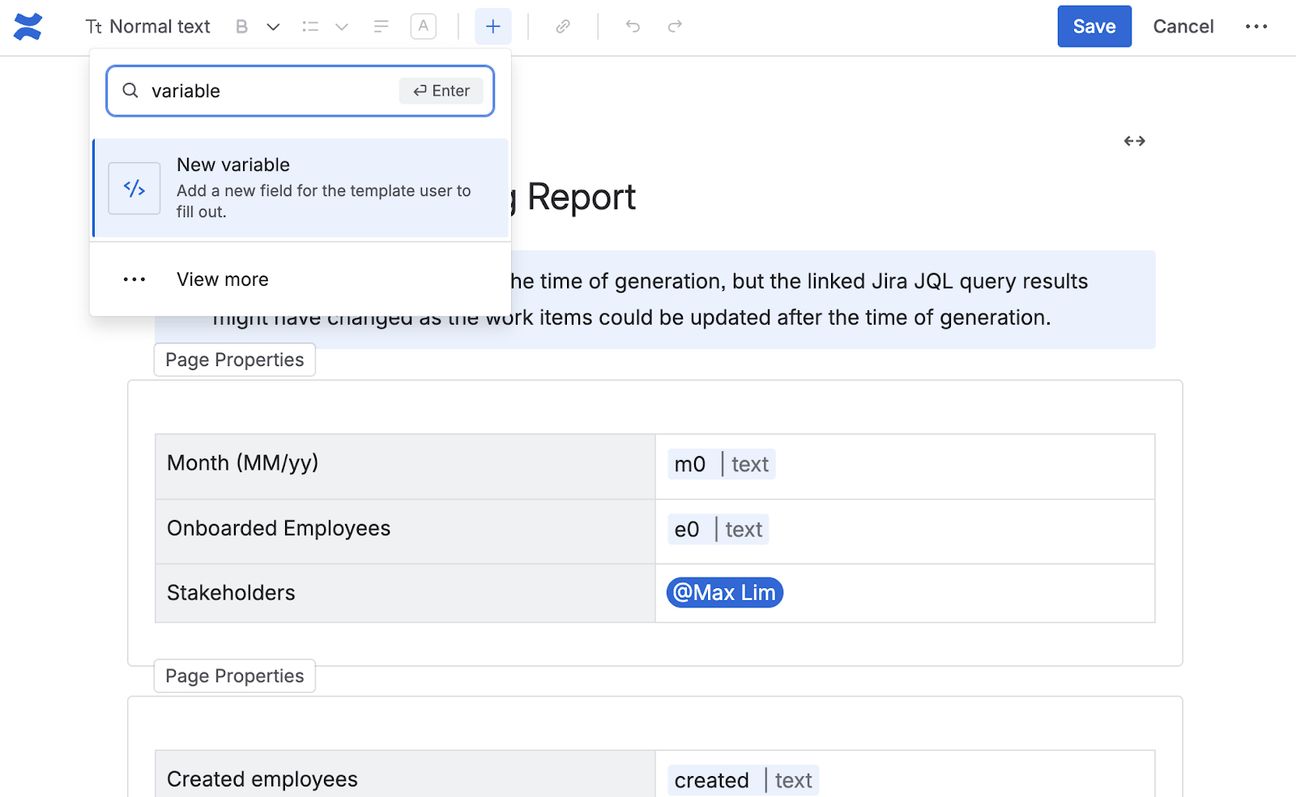
2. A ScriptRunner Script Job: A scheduled script that fetches the template, runs your JQL queries in Jira, replaces the variables with live data, and publishes the new Confluence page on your chosen schedule.
Final Output
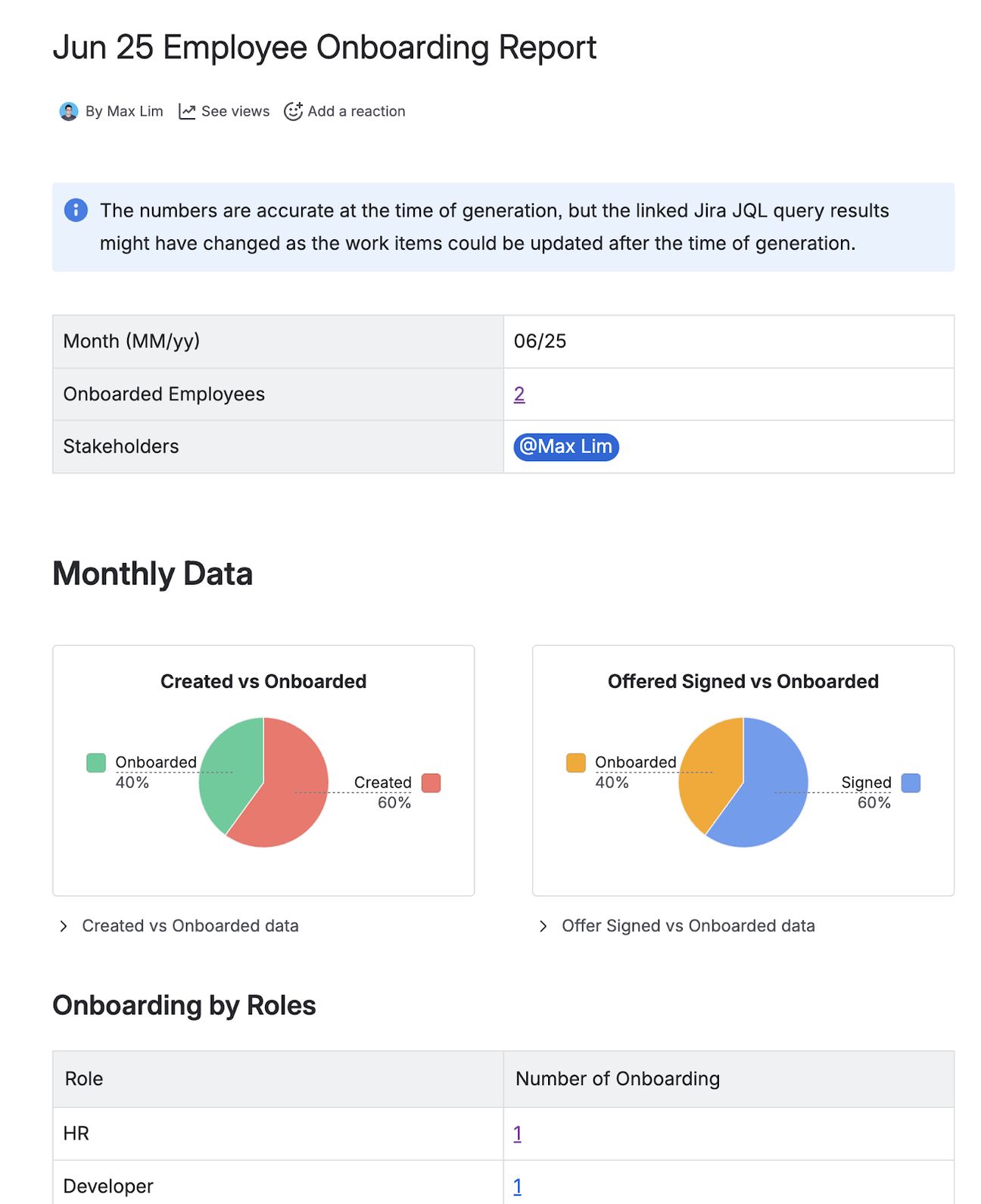
Here's an example of the generated Confluence report, featuring:
- Dynamic Tables populated by Jira issues.
- Pie and Bar Charts showing status distributions.
- Collapsible data for deep-dive details.
Check out the video demo!
Script snippets
Here are the example scripts you can use as shown in the video demo.
Create Your Report Template
Create a reusable Confluence template that defines the layout and placeholders for an Employee Onboarding report.
To make this easy, we’ve provided a Groovy snippet that creates the template for you here.
Generate Confluence Report with Jira Data
Automatically generate a Confluence page from a template by replacing template variables with live data fetched from Jira. Each variable in the template is substituted with a clickable issue count linked to the underlying JQL query, giving readers instant access to the supporting Jira issues directly from the report.
The script is designed for recurring reports (e.g. monthly) and automatically moves the newly created page to the top of the parent's child list so the latest report is always the first one visible.
Use this script to create the report.
Standardise your governance
By combining ScriptRunner for Jira and Confluence, you aren't just automating tasks—you're automating documentation, ensuring your reporting is:
- Consistent: Every report follows the exact same structure.
- Accurate: No manual data entry errors.
- Visible: Stakeholders have easy access to the data they need, when they need it.
Ready to automate your reporting?
Published on 8 June 2026
Authors

Nitin Chand

Max
Share this tutorial