
Book your demo
Must-have Google Workspace integrations you can set up in minutes
Share on socials
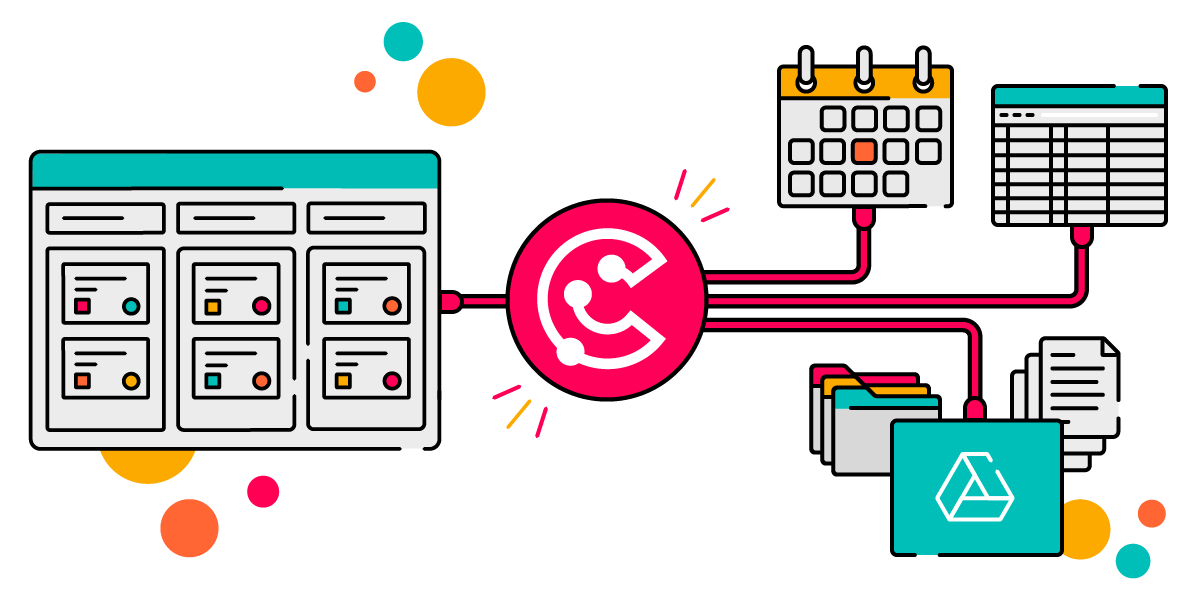
Illustration with ScriptRunner Connect’s pink circular logo in the centre, with bold lines connecting it to several stylised app interfaces—a Kanban-style board on the left, and on the right a calendar, a spreadsheet, a stack of folders and documents, and a teal panel with a Google Drive icon.
A photograph of Richard Birks, Senior Product Marketing Manager for ScriptRunner Connect
Rich Birks
Published on 16 March 2026
ScriptRunner Connect
Work management

Must-have Google Workspace integrations you can set up in minutes

Sync Google Workspace with Jira, Tempo, and more. ScriptRunner Connect's managed connectors and templates now include Google Drive, Google Sheets, and Google Calendar—getting set up has never been easier!
Getting tools from different ecosystems to talk to each other can be a headache.
If you've spent much time building custom integrations, you already know the pain of learning yet another API's quirks; figuring out OAuth, token refresh, and consent flows; and the repetition involved in building similar 'plumbing' over and over for slightly different scenarios.
At the same time, if you've been tempted by the promises of simplicity from no-code platforms, you've probably run into some frustrating limitations: rigid drag-and-drop options that never quite do what you need, eye-watering costs as you scale, and very little flexibility to adjust as you go.
ScriptRunner Connect gives you the best of both worlds: the freedom and flexibility to build whatever you need without the restrictions of no-code, and the building blocks to make code-based integration a bit less daunting (not to mention quicker!).

What's the difference between a managed connector and a template?

Managed connectors are pre-built configurations to handle the intricacies of different tool APIs for you, so you don't have to start from scratch every time. Once you've used them to connect to your tools, you can custom-build the integration you need from there.
Templates use connectors, but are built out as complete end-to-end integrations for specific use cases. You can use a template right out of the box and be up and running without writing any code yourself—but of course, you still have the freedom to change or adapt any part of a template if you need to!

ScriptRunner Connect currently has more than 30 managed connectors and over 80 full templates spanning popular ITSM, DevOps, and work management tools, including Jira, Confluence, monday.com, and Slack. And now, with the launch of a new Google Drive connector (with Google Calendar and Google Sheets already available), it's time to bring your Google tools on board.
Here are four in-demand integration templates to put those Google Workspace managed connectors to use right away—and still give you enough time to go and put the kettle on.
Icon of three arrows forming a circle

Must-have Google Workspace integrations you can start using today

1. Backup Jira Cloud attachments to Google Drive

Never lose a critical project file again. This template automatically syncs your Jira Cloud attachments straight to Google Drive—no manual downloads, no chasing reminders, no 'I could have sworn I saved that somewhere'. Regular, reliable backups, automatically organised into subfolders by issue, right there when you need them. Job done.

2. Export users from Jira Cloud to Google Sheets

Perfect for audits, reporting, or team planning, this template will pull user data on demand from a connected Jira Cloud instance and send it securely into a new spreadsheet in Google Sheets. From there, you can search and filter for whatever you need. You can choose to either trigger the integration script manually or run it on a defined schedule, depending on what (and how often) you need to review.

3. Create a Google Calendar entry when a new project version is released in Jira Cloud

Keep everyone in the loop without manual updates. Every time you release a new project version in Jira Cloud, this template automatically creates a corresponding event in Google Calendar, so your team never misses a milestone. Whether you're coordinating with stakeholders, planning sprints, or just keeping things visible across your organisation, this one just makes sense.

4. Push Tempo Cloud worklog data into Google Sheets

Streamline time tracking and reporting. With this template, every time someone logs their hours in Tempo, the data flows automatically into your connected Google Sheet. You get real-time visibility, making it simple to keep an eye on capacity and understand how projects are progressing. It's all in one accessible place.
Lightbulb icon

What if I need to automate something else?

These templates give you everything you need to get started immediately. But if your requirements are different from what's described here, no problem. ScriptRunner Connect will always be completely customisable. You can start with a template and adapt it to suit your needs, or just grab the connectors you want and build your own integrations with any other system. You can even integrate with bespoke third-party apps using the generic connector. The flexibility is all yours.

See it in action

Want to see what's possible? Check out the case study where Blue Ridge Consultants used the Google Calendar connector to share their availability with clients seamlessly, without compromising security or privacy.

Get connecting today

Whether you're an existing ScriptRunner Connect user or you're just discovering what the platform can do, there's a full range of templates and connectors at your disposal. See how you can save time, reduce manual effort, and keep your teams in sync—no matter which tools they're using.